Saturday, May 2, 2020

20 Best Game Recording Software For Windows [Record Gameplay]

20 Best Game Recording Software For Windows [Record Gameplay]

Let’s admit; everyone loves to play games in their spare time. Although nowadays, users prefer to play games from their phones, it still hasn’t affected the trend of PC gaming. High-end PC games like PUBG and Fortnite has already taken the gaming spree to the next level.

We are pretty sure that you might have come across lots of gamers making money while playing games. It’s possible to generate some extra income while playing games. YouTube is one such platform providing gamers an opportunity to showcase their gaming talent.

You won’t believe it, but two of the top five YouTube channels with the most subscribers are gaming related. So, it clearly shows that getting paid to play games on YouTube is a fast-growing trend. You just need to record and upload your gaming videos on YouTube. After a few weeks or months, you will get the option to monetize your videos.

20 Best Game Recording Software For Windows [Record Gameplay]

However, to upload the gameplay videos, you first need to record it. So, in this article, we are going to talk about a few best tools that let you record your gaming videos. With these tools, you can easily record your computer screen.

1. Open Broadcaster Software
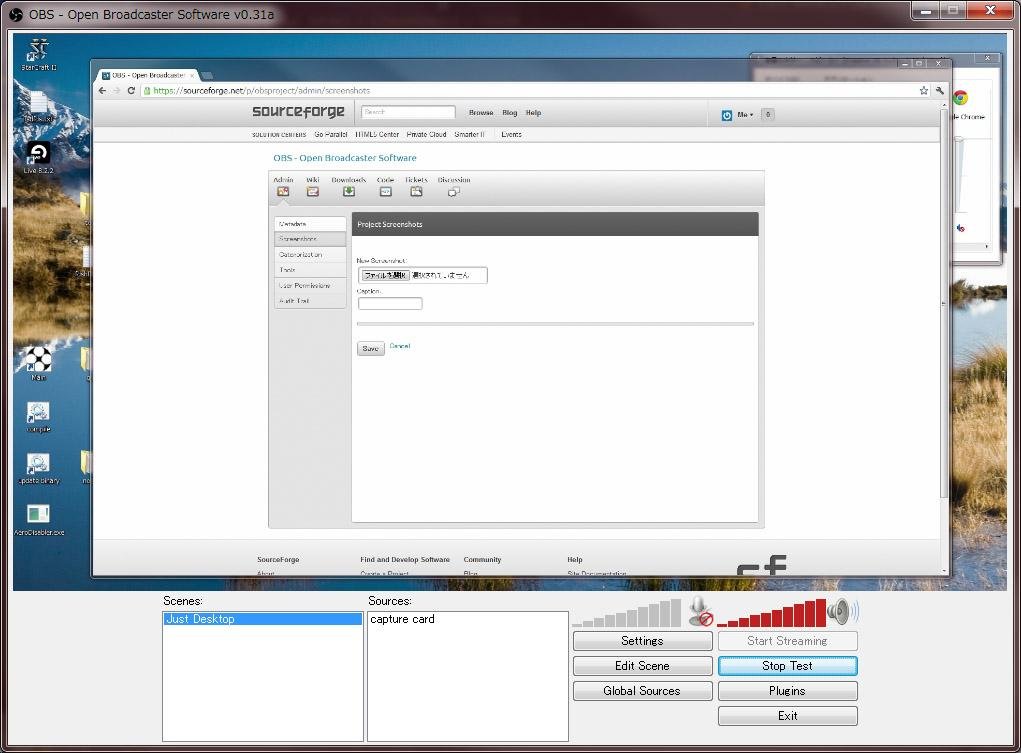
Open Broadcaster Software

This is one of the best screen recording software that can easily record high-quality game recording on your windows. Also, the tool is free to download and has the very simple user interface. By using this cool tool, you can even record in MP4 and FLV formats too in your windows PC. So try out this tool on your PC.

2. Action!
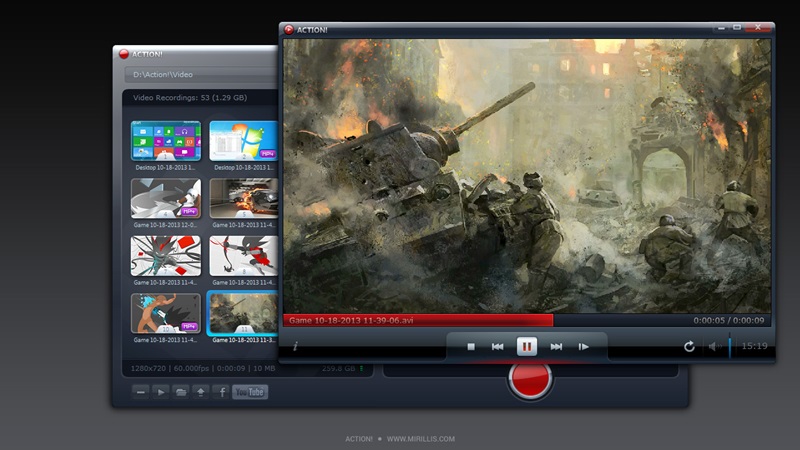
Action!
Action!

This is the cool game recorder tool that is compatible with all versions of windows. Action! allows streaming and real-time recording of Windows desktop in a superb HD video quality. With Action! you can record and stream your gameplay, web player videos, record music, capture screenshots, remotely access your PC, play PC games with Android devices, and lots more that you will come to know after downloading this tool.

3. XSplit Gamecaster

XSplit Gamecaster
XSplit Gamecaster

The another best tool to capture out special gameplay in your windows PC. There are different versions of this game that are free and paid too. XSplit Gamecaster lets you easily stream and record your greatest gaming moments at the click of a button. It’s simple, easy to use, and perfect for sharing your gameplay with the world.

4. Dxtory
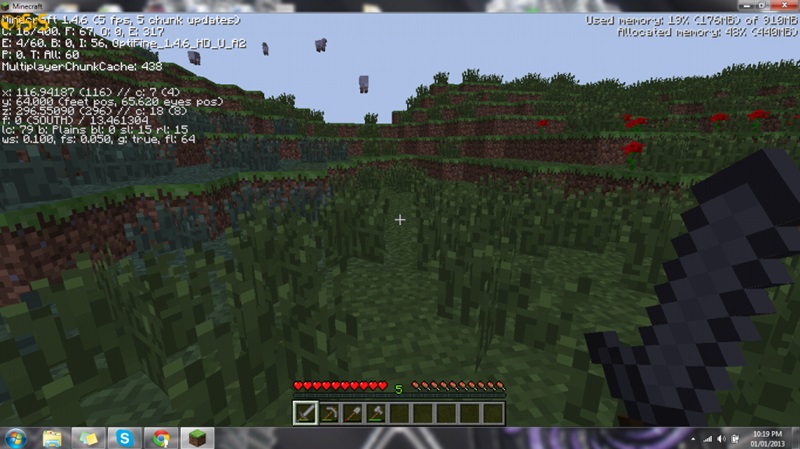
Dxtory
Dxtory

This tool allows you to record the game in your windows PC by adjusting the game recording quality according to your wish. Dxtory is a movie capture tool for DirectX and OpenGL Applications. Since data is directly acquired from a surface memory buffer, it is very high-speed and works with a small load.

5. WM Capture
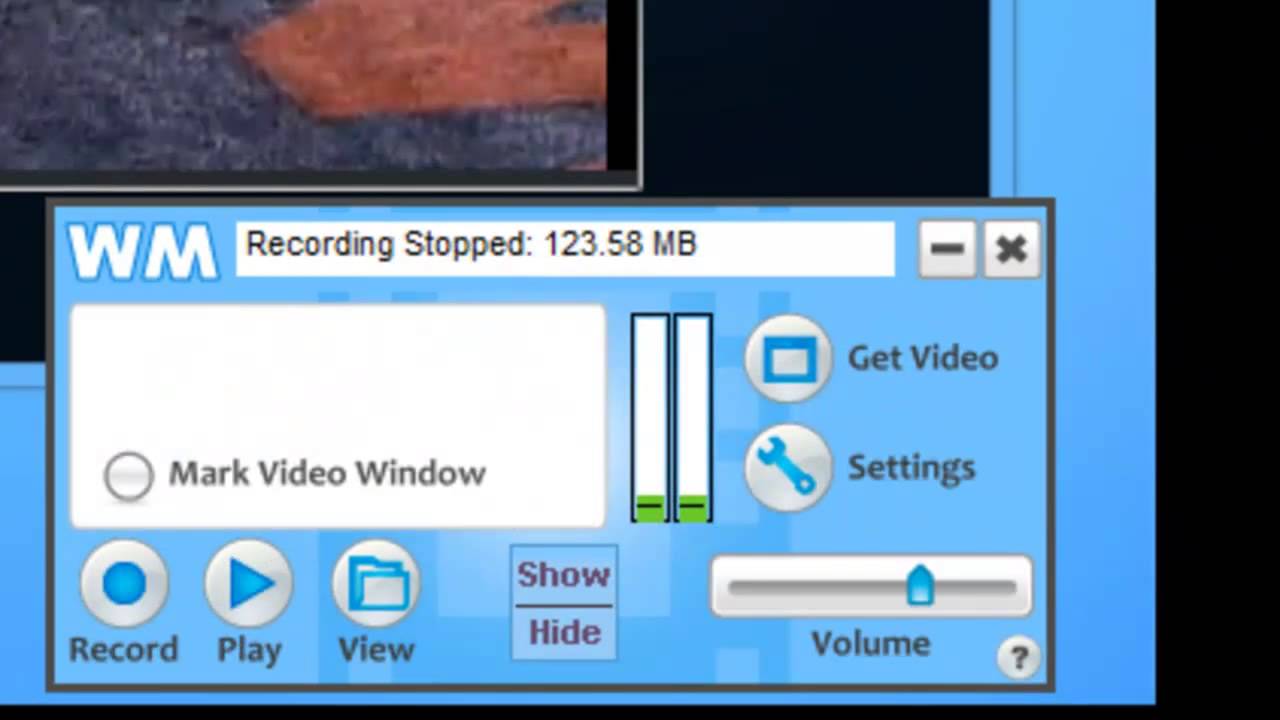
WM Capture
WM Capture

By using this tool, you can easily capture videos by marking an area to record. Just click Get Window, then move your mouse over the region you’d like to record and it gets highlighted automatically. You can also mark a recording region manually to clip or extend the capture area.

6. ShadowPlay

ShadowPlay
ShadowPlay

This is a hardware-accelerated screen recording utility for Windows PCs using GeForce GPUs, made by Nvidia Corp as part of its GeForce Experience software. It can be configured to record continuously a time behind, allowing the user to save the video retroactively.

7. Bandicam
Bandicam
Bandicam

This is a lightweight screen recorder for windows that can capture anything on your PC screen as a high-quality video. Also, it makes it possible to record a certain area on a PC screen or capture a game that uses the DirectX/OpenGL graphic technologies.

Bandicam will help you carry out a game capture with a high compression ratio while keeping the video quality closer to the original work and provides performance far superior to other recording software that provides similar functions.

8. D3D Gear

D3D Gear
D3D Gear

It is a very fast game recording software for PC. It allows users to record gameplay to the movie without slowing down the game. D3DGear game recording function has a very minimal performance impact on the game, and it may not cause a game to lag or drop much frame rate.

The game recording tool produces high-quality videos with small file sizes. D3DGear game recording function supports microphone recording, Push-To-Talk recording, and face camera overlay recording.

9. Fraps
Fraps
Fraps

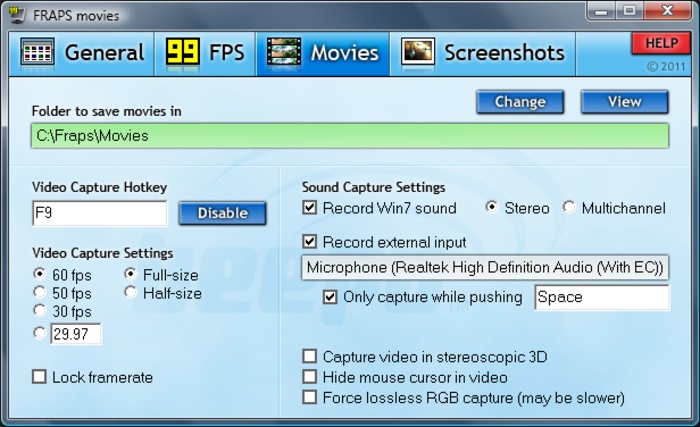
Well, Fraps is a universal Windows application that can be used with games using DirectX or OpenGL graphic technology. Fraps can capture audio and video up to 7680×4800 with custom frame rates from 1 to 120 frames per second! All movies are recorded in outstanding quality.

10. Windows 10 Game Bar
Windows 10 Game Bar
Windows 10 Game Bar

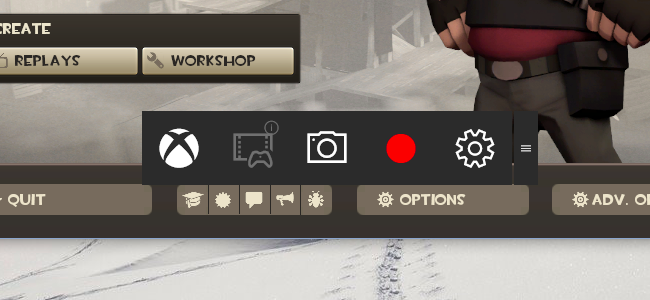
This is an inbuilt feature that comes with Windows 10 you just need to press Windows Key + G while playing the game and it will eventually open up a game bar. You can manually click on the buttons to start or stop recording.

11. MSI Afterburner
MSI Afterburner
MSI Afterburner

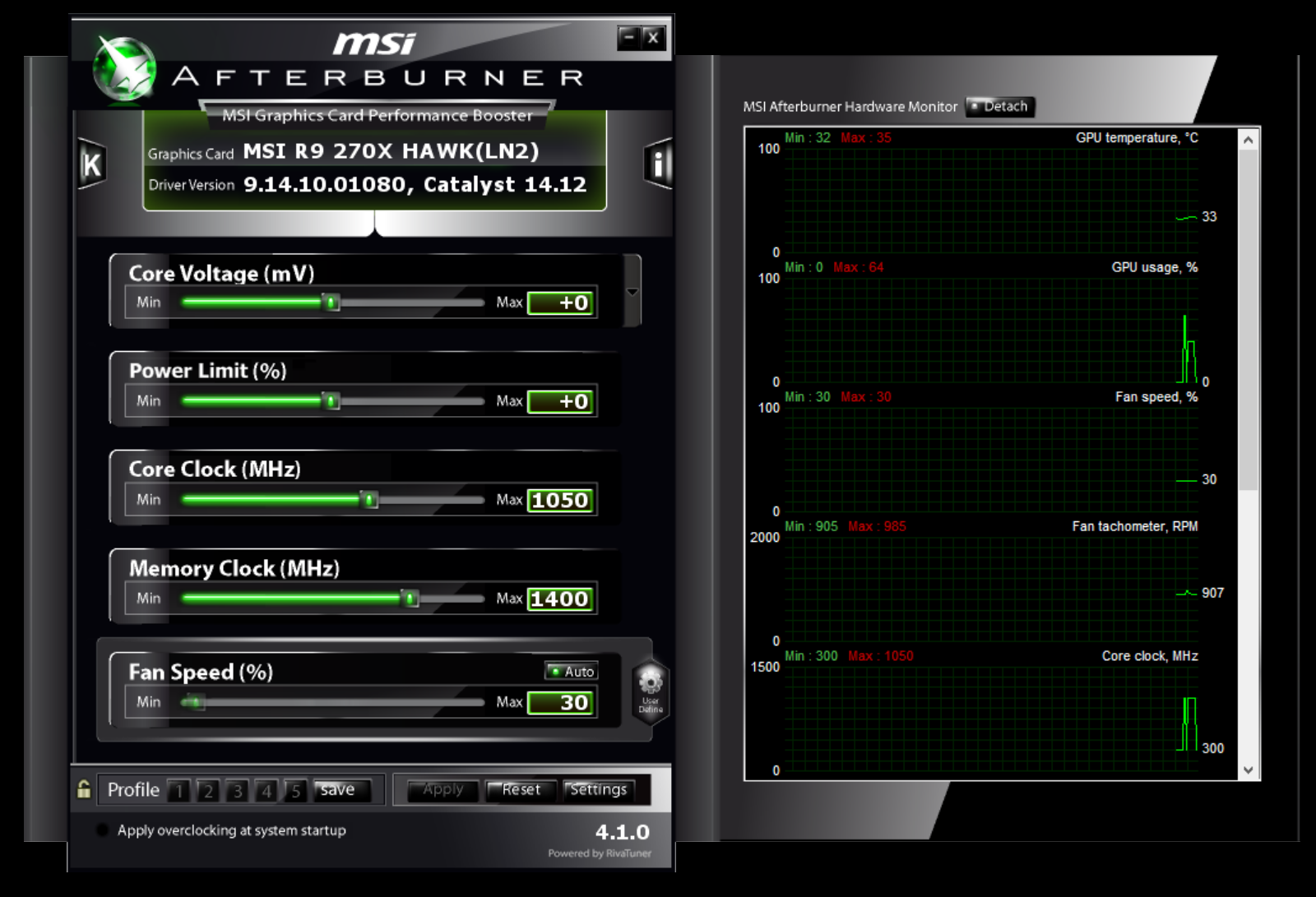
It is the world’s most recognized and widely used graphics card overclocking utility which gives you full control of your graphics cards. It also provides an incredibly detailed overview of your hardware and comes with some additional features such as customizing fan profiles, benchmarking, and video recording.

12. Smartpixel
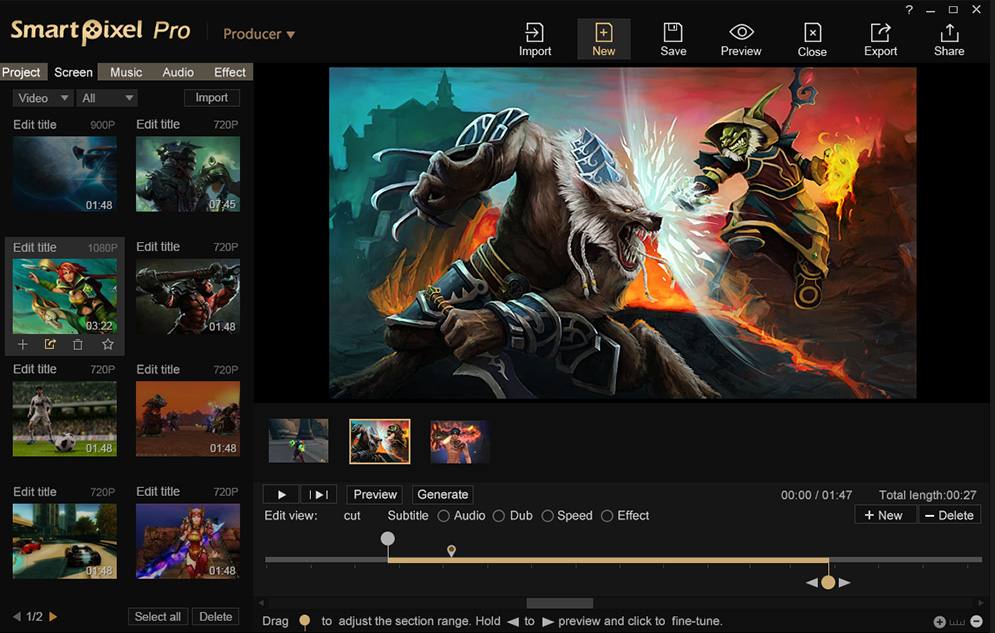
Smartpixel
Smartpixel

Well, gamers will love Smartpixel. Smartpixel will let you record your gameplay and share it directly on YouTube, Google+. This is one of the lightest game recorders you can ever have on your Windows computer.

13. Camtasia
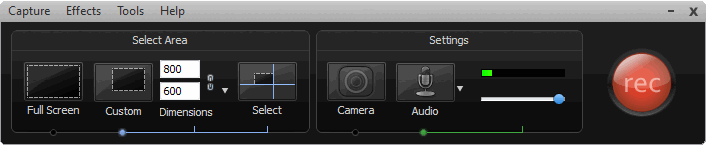
Camtasia
Camtasia

Well, Camtasia makes video editing surprisingly easy. The drag-and-drop editor and video assets help you complete your videos faster. No video experience needed. Camtasia makes it easy to record your screen or import your video and audio files (MP4, WMV, MOV, AVI, etc.)

14. ZD Soft Screen
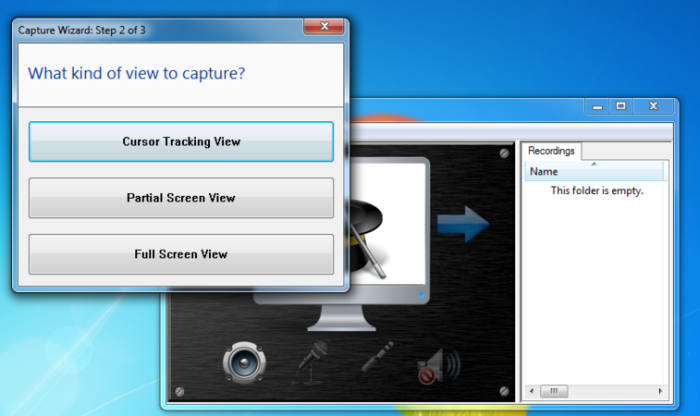
ZD Soft Screen
ZD Soft Screen

High-performance screen recording is always a big advantage of the ZD Soft Screen Recorder. Unlike most other screen recording software in the market uses the GDI screen capture method which can result from high CPU usage and noticeable system lags, ZD Soft Screen Recorder uses the GPU-accelerated screen capture technology.

15. Radeon ReLive
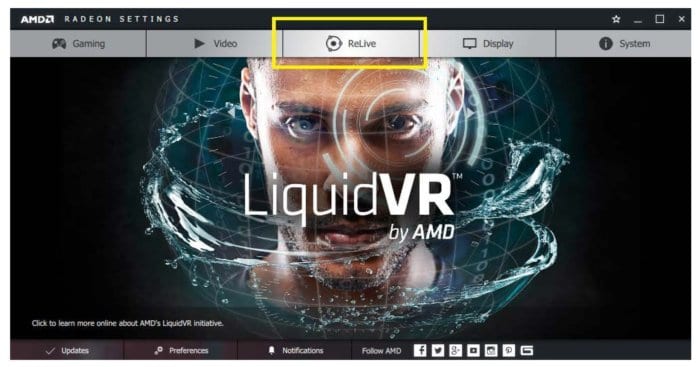
Radeon ReLive
Radeon ReLive

With Radeon Relive you can capture, stream and share your greatest moments and gaming wins. In Radeon ReLive you can modify settings quickly, conveniently. With this tool, you can not only record and stream videos, but you can also capture highlights and grab screenshots.

16. OBS Classic
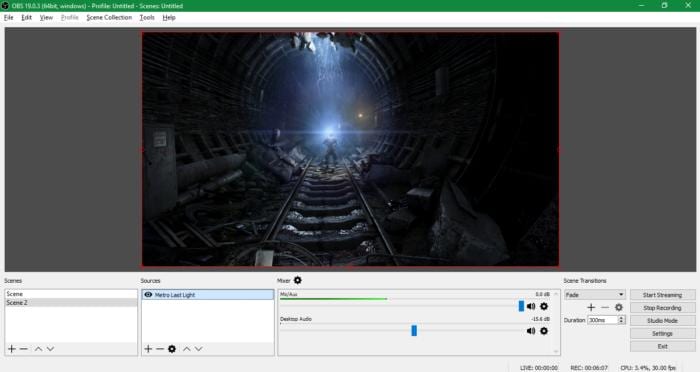
OBS Classic
OBS Classic

This another popular open-source solution for recording gameplay. Not only these, but OBS Studio can also actually broadcast your game streams on platforms like Twitch. This is a powerful program but this software offers too much for anyone who just wants a quick and easy game capture solution.

17. Filmora Scrn

The tool allows you to record the full screen or a specified area of the screen with the system audio, microphone, and webcam at the same time. One of the most prominent recording features is that Filmora Scrn can record high paced games at 120 frames per second, which is very important if you want a great gameplay recording frame.

18. Flashback Express
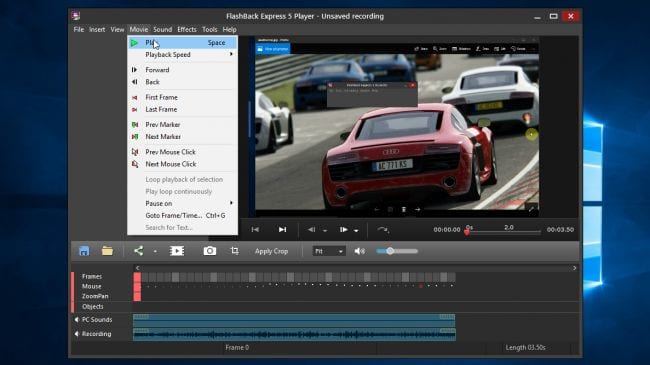
Flashback Express
Flashback Express

It is another best software that you can use to record your gameplay. The best thing is that the software doesn’t have any setup process and users just need to tell the program to start recording and it handles the rest of the part for you. The software also houses a built-in video editor which can do some basic editing stuff.

19. Ezvid
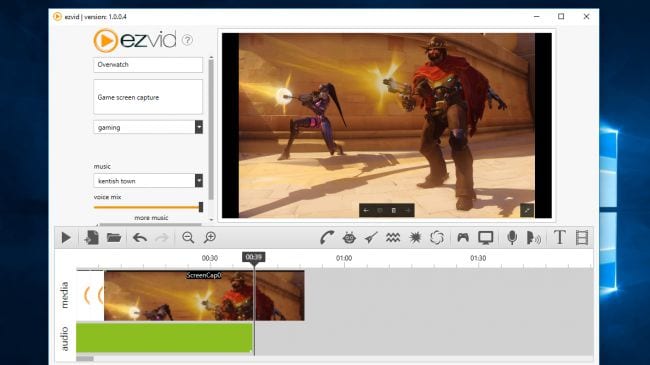
Ezvid
Ezvid

Well, Ezvid is another free tool that you can use to record gaming videos. The app is free to use but it only allows users to record up to 45 minutes of gameplay. So, if you want to record a full 2 hours of gameplay, then Ezvid might disappoint you. However, there are no watermarks on the recorded videos and you can also record the audio from the microphone.

20. Streamlabs OBS
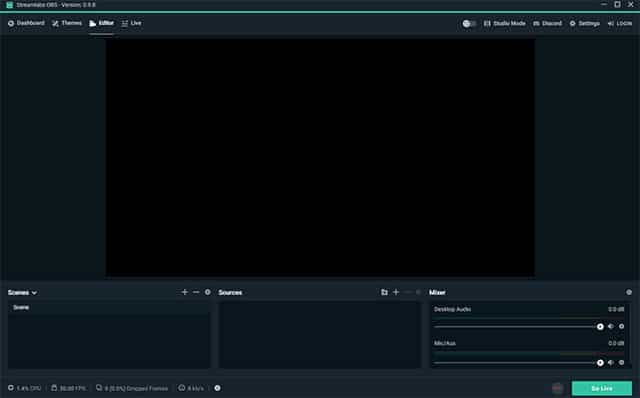
Streamlabs OBS
Streamlabs OBS

It one of the best video recording and streaming platforms which is specially designed to make OBS’s interface for beginners. It’s one of the most used screen recorders for gamers and it provides users lots of tools to record and stream games. So, Streamlabs OBS is definitely the best game recording software that you can use on your computer.

21. Nvidia GeForce Experience
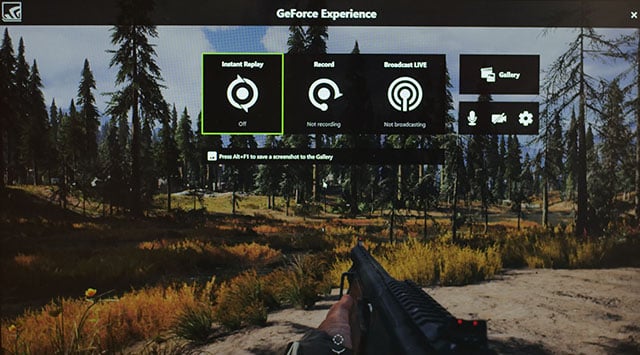
Nvidia GeForce Experience

This tool is actually a part of Nvidia drivers and it automatically installs if you have Nvidia GPU. The Nvidia GeForce Experience offers a ShadowPlay feature that provides users with lots of gaming tools like a screen recorder. Not just that, but Shadowplay also uses the GPU to handle the video encoding.

22. AMD ReLive
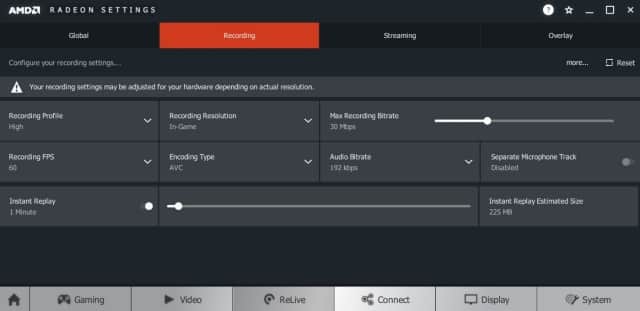
AMD ReLive
AMD ReLive

Just like Nvidia GeForce Experience, AMD ReLive is also a part of AMD Drivers. It’s basically a tool which allows users to record gameplay on AMD card. What’s more interesting is its ability to upscale the resolution. That means, if you are playing at 1080p, you can record the gameplay at 4K resolution.

23. Screencast-O-Matic

Screencast-O-Matic
Screencast-O-Matic

It is another best screencasting and video editing tool available for Windows operating system. The great thing about Screencast-O-Matic is that it also has a built-in screen recorder which can be used to record windows screen. On its free trial version, the screen capture, webcam recording, and audio recording are limited to only 15 minutes.

24. iSpring Free Cam
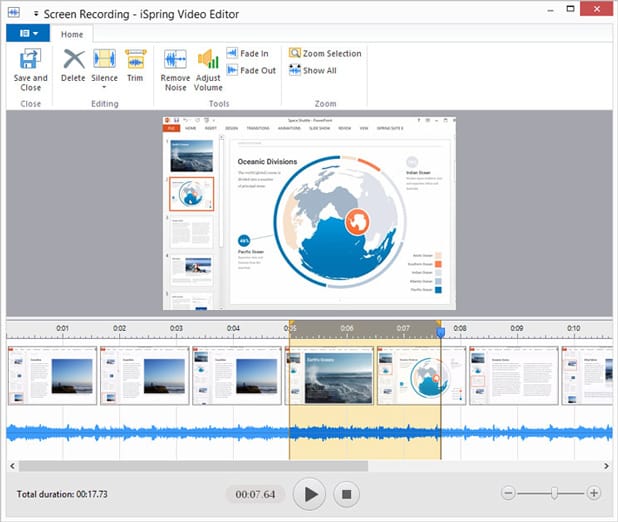
iSpring Free Cam
iSpring Free Cam

It is another top-rated and free Windows-based screen recording software on the list which can be used to record gameplay. The most noticeable part of iSpring Free Cam is its user-interface which looks clean and well-organized. Apart from that, iSpring Free provides an option to directly upload the recordings to various video streaming sites like YouTube, Dailymotion, etc.

Can I record the computer screen with these tools?

Yes, you can easily record your computer screen with the tools listed in the article.

Are these tools free to download?

Most of the tools listed in the article were free to download and use. But, it might add a watermark on the videos.

Are these tools safe to use?

Yes, these tools were 100% safe to use. However, make sure to download the tools from trusted sources.

So, these are some of the best game recording software that you can use on your Windows 10 PC. If you know any other such software, let us know in the comment box below.

The post 20 Best Game Recording Software For Windows [Record Gameplay] appeared first on Tech Viral.


from Tech Viral https://ift.tt/2KOXDxQ

15 Best Torrent Apps For Android in 2020 [Download Torrents]

15 Best Torrent Apps For Android in 2020 [Download Torrents]

Well, if we look around, we will find that almost all major torrent sites have been shut down. The government is trying really hard to keep people away from making and visiting torrent sites. But, there are lots of still lots of active torrent sites available on the web.

However, in order to download torrents, you will need a torrent client or torrent downloaders. On a desktop operating system like Linux, MAC, Windows, there are plenty of torrent clients available which can be used to download torrents. However, on Android, there are minimal numbers of choices available.

15 Best Torrent Apps For Android in 2020 [Download Torrents]

Well, despite its reputation, there are lots of legitimate reasons for torrent apps. Some of the legal reasons include general file sharing like Linux ISOs, freeware files, etc. So, here in this article, we are going to share some of the best torrent downloaders for Android which you can use to download your favorite torrent files.

1. Flud – Torrent Downloader

Flud - Torrent Downloader
Flud – Torrent Downloader

If you are looking for a simple and easy-to-use BitTorrent client for your Android smartphone, then Flud – Torrent Downloader might be the best pick for you. The great thing about Flud – Torrent Downloader is that it can be used to share files with ease and on the go. So, Flud – Torrent Downloader is the best torrent downloader that you can use right now.

2. TorrDroid

TorrDroid
TorrDroid

It is an all-in-one torrent app that every torrent lover would love to have. The great thing about TorrDroid is that it offers a search engine which you can use to find your favorite torrent files. Apart from that, you can also add your torrent files manually on TorrDroid. So, TorrDroid is another best torrent client that you can use right now.

3. Vuze

Vuze
Vuze

It is one of the best and most popular torrent client available on Windows, Linux, and Android. The great thing about Vuze is that it’s lightweight and it brings almost all torrent management tools that you need to manage your torrents directly to your smartphone. Not just that, but the download speed is also pretty fast on Vuze. So, Vuze is another best torrent downloader that you can use on your Android.

4. uTorrent

uTorrent
uTorrent

Without any doubt, uTorrent is one of the leading and best torrent apps that’s available on Windows, Mac, Linux, Android, and iOS. Guess what? uTorrent Android app has been downloaded over 100 million times and its one of the leading torrent client available on the Google Play Store. The best thing about uTorrent is that it has support for magnet links and it can download multiple torrents at once.

5. BitTorrent

BitTorrent
BitTorrent

Well, BitTorrent is the official Android torrent client that’s made by BitTorrent. The great thing about BitTorrent is that it offers a simple and user-friendly interface where you can manage multiple torrent downloads at once. Not just that, but BitTorrent also provides a media player which can be used to play the video files stored on your smartphone. So, BitTorrent is another best torrent client for Android that you can use right now.

6. WeTorrent

WeTorrent
WeTorrent

If you are looking for a torrent downloader that’s blazing fast, then WeTorrent might be the best pick for you. The great thing about WeTorrent is that it offers everything that users looks for in a torrent client. The app can seamlessly Resume, Pause and delete torrent files. Apart from that, WeTorrent also got the Magnet Link support. So, WeTorrent is another best torrent client that you can use right now.

7. zetaTorrent

zetaTorrent
zetaTorrent

Well, it is a multi-purpose torrent app that offers users lots of exciting features. The features include a built-in browser, File Manager, WiFi File Transfer, etc. The great thing about zetaTorrent is that it recognizes the torrent files and its magnet links that are available for download. Not just that, but zetaTorrent also allows users to set the upload and download speed.

8. tTorrent Lite

tTorrent Lite
tTorrent Lite

It is another best Android torrent client that offers users lots of useful features. tTorrent Lite has everything that you need to for the torrenting purpose. From magnet link support to WiFi only mode, tTorrent Lite has it all. What makes tTorrent Lite more useful and unique is its built-in file browser which also comes with multiple color theme.

9. aTorrent

aTorrent
aTorrent

The most notable thing about aTorrent is its new modern design. The app arrives with a material design user interface which looks awesome. Just like all other torrent apps for Android, aTorrent also has support for magnet links, external SD card, etc. Not just that, but aTorrent also offers a WiFi-only mode, and it has support for various protocols like DHT, Advanced DHT, BitTorrent P2P, etc.

10. FrostWire

Frostwire
Frostwire

This torrent client is for those who are looking for an easy to use and feature-packed torrent downloader for Android. The great thing about FrostWire is that it offers a built-in torrent search engine that can be used to search and download torrent files. Not just that, but FrostWire also offers an advanced download manager, music player, and video player.

11. TorrX

TorrX
TorrX

It is a relatively new Android torrent app available on the Google Play Store. The torrent app is mainly known for its dark mode interface. It serves as a torrent search engine where you can search and find a torrent. Using TorrX, you can easily find Linux distros, free movies, free TV Series, etc. It also got a feature to bypass blocked torrent downloads.

12. Torrent Pro

Torrent Pro
Torrent Pro

If you are searching for an easy to use torrent downloader for your Android smartphone, then Torrent Pro might be the best pick for you. With Torrent Pro, you can easily download your favorite torrent from the smartphone. Apart from that, it also got the Night mode support.

13. LibreTorrent

LibreTorrent
LibreTorrent

Well, if you are searching for a free torrent app for your Android smartphone, then LibreTorrent might be the best pick for you. The Google Play Store listing of LibreTorrent claims that it’s an original free as in freedom torrent client for Android which is based on libtorrent. The user-interface looks clean and it can be the best torrent app that you can use right now.

14. Torrentvilla Lite

Torrentvilla Lite
Torrentvilla Lite

Well, Torrentvilla Lite is a relatively new torrent app available on the Google Play Store that offers users lots of features. Guess what? Torrentvilla Lite act as a torrent search engine and with this app, users no longer need to visit multiple torrent sites. Although you need to depend upon other apps to download torrents, Torrentvilla Lite can definitely help you to find a torrent with a high number of seeds and peers.

15. Torrent Downloader

Torrent Downloader
Torrent Downloader

As the name of the app says, Torrent Downloader is an Android app that is meant for downloading torrent files. Guess what? Torrent Downloader uses the torrent P2P protocol which splits the files and downloads into multiple parts. So, it provides users better downloading speed.

Do I need to use a VPN on smartphone?

To download torrents on a smartphone, you need to use a VPN app. There are plenty of free VPN apps available on the Play Store.

How to increase Torrent downloading speed on a smartphone?

It all depends on the torrent files that you are downloading. If the file has more seeders and fewer leechers, then the downloading speed will be high.

So, these are the best Android Torrent apps that you can use to download your favorite torrent files. If you know any other apps like these, then make sure to drop the name in the comment box below.

The post 15 Best Torrent Apps For Android in 2020 [Download Torrents] appeared first on Tech Viral.


from Tech Viral https://ift.tt/3faJEAo

Apple iPhone 12: Price Leaked! Everything You Need To Know

Apple iPhone 12: Price Leaked! Everything You Need To Know

iPhone 12 is expected to launch this year. The launch of the series is delayed, and the devices could be on track for the launch. As per the news, a fresh leak has come out which shows the iPhone 12 series models price, and it could do with a premium for 5G connectivity. As per the leak, the 5G iPhone models will be costlier than the previous generation models.

iPhone 12 series prices leak: Apple may not charge for 5G

Apple iPhone 12: Price Leaked! Everything You Need To Know

A famous tipster Jon Prosser said that the iPhone SE launch date the iPhone 12 series price will start from $649. Earlier few leaks said there can be four iPhone models under the 5G series, and the 5.4 inches iPhone 12 price will be $649, 6.1-inch iPhone 12 price will start from $749 and 6.1-inch iPhone 12 Pro will have a price tag of $999. And at last, the top-end iPhone 12 Pro Max with 6.7-inch will have a price of $1099.

However, it is too early to guess the prices of iPhone 12 series, but the tipster has done it. If the prices by the leaks are true, then the iPhone 12 will not be much expensive. The two low-end iPhone 12 models will be 5G, but the price will be under $800.

The Indian pricing for the models will not be a minor currency translation as Apple sees the dollar conversion differently. Apart from that, Apple needs to pay taxes (customs duty and GST) to sell its iPhone models in India.

The premium pricing for the iPhone models stops customers to buy from Apple. So, Apple has decided to keep the prices down, at least for its low-tier models. However, Apple has divided iPhone models to offer an affordable device to suit in other countries like India.

Tipster Prosser has revealed some extra information about the iPhone 12 series and 5G support which could be available on all the models. The 5.4-inch iPhone 12 which has a codenamed D52G which will have an OLED display, two rear cameras, and a 5G support.

The 6.1-inch iPhone 12 with codenamed D53G which has OLED display, two cameras, and 5G support. Moreover, iPhone 12 Pro with codenamed D53P will have 6.1-inch OLED display, three rear cameras, a LiDAR sensor, and it has support for 5G. Finally, the iPhone 12 Pro Max with codenamed D54P will have 6.7-inch OLED display with three cameras, a LiDAR sensor and supports 5G support.

The post Apple iPhone 12: Price Leaked! Everything You Need To Know appeared first on Tech Viral.


from Tech Viral https://ift.tt/3fd3Z8g

10 Best Sites To Download Subtitles For Movies & TV Shows in 2020

10 Best Sites To Download Subtitles For Movies & TV Shows in 2020

Over the years, smartphones have gotten larger and smarter. With HD Screens and better processors, we can now watch HD or even Ultra HD movies on our smartphones. In fact, now we prefer to watch movies & videos on a smartphone rather than computers or laptops.

If you are a true movie buff like me, then you might know the importance of subtitles. Lots of people choose to turn on the subtitles while watching TV Shows or movies, even if they are native speakers of the original language. Subtitles significantly improves comprehension.

The movies that you download from torrent or movie download websites don’t usually have a subtitle track. That means you need to download the subtitle file manually, and then load it into the media player app. So, in this article, we have decided to share a list of best websites to download subtitles for Movies and TV Shows.

10 Best Sites To Download Subtitles For Movies & TV Shows in 2020

Most of the sites listed in the article offer subtitles in a different language. So, let’s check out the best sites to download subtitles in 2020.

1. opensubtitles

opensubtitles
opensubtitles

Well, if you are searching for a website to download subtitles, then Opensubtitles might be the best pick for you. Apart from English, the site covers 60 other languages. You will find subtitles for Movies, TV Shows, Web Series, Documentaries, etc. on opensubtitles. To locate the subtitles, the site offer users advanced search options like you can perform a search based on IMDB ratings, size, genre, etc.

2. Subscene

Subscene
Subscene

It’s by far the best subtitle download site on the list which has over 3.5 million subtitles. The user interface of the site was outstanding, and it has dark mode support. If we talk about the subtitles, Subscene offers you subtitles for movies, TV Shows, Music Videos, Songs, etc.

3. DIVX Subtitles

DIVX Subtitles
DIVX Subtitles

The user interface of the site looks outdated, but it’s one of the leading subtitles download sites on the internet. The great thing is that it has subtitles for older releases. The advanced search option of DIVX Subtitles allows you to search subtitles based on keywords, ratings, format, and language.

4. YIFY Subtitles

YIFY Subtitles
YIFY Subtitles

Unlike all other sites listed in the article, YIFY Subtitles focuses only on movie subtitles. The user interface of YIFY Subtitles looks appealing, and it lists the most downloaded subtitles on the homepage. The homepage section of YIFY Subtitles would help you discover new movie titles. Apart from that, it offers movie subtitles in multiple languages.

5. TVsubs

TVsubs
TVsubs

It is one of the leading subtitle download sites on the list which you can visit today. The great thing about TVsubs is that it allows you to download, upload, and edit subtitle files for free. It is a dedicated platform to find subtitles for TV Shows, Movies, and Music Videos. So, TVsubs is another best site to download subtitles.

6. Podnapisi

Podnapisi
Podnapisi

Well, it’s one of the best and leading subtitle download site on the list. The great thing about the site is that every subtitle was manually audited for validity and quality by the moderators before publishing. Not only that, but Podnapisi also runs a community-driven translation project using a premium text translation tool to translate the subtitle into a different language.

7. Anysubs

Anysubs
Anysubs

It is another best site on the list where you can download subtitles for free. The great thing is that Anysubs hosts subtitles for movies, TV Shows, Web Series, and Music videos. However, the site is a bit slow, and it shows ads. Still, it’s one of the best sites to download subtitles in 2020.

8. English Subtitles

English Subtitles
English Subtitles

As the name of the site says, English Subtitles is a site where you can download only English subtitles. The good thing is that it publishes the subtitles for most of the new releases. The site is pretty easy to use and navigate, but it’s less popular compared to the others listed in the article.

9. Subtitle Seeker

Subtitle Seeker
Subtitle Seeker

This site takes a unique approach to subtitle downloads. Instead of having its collection of subtitles, the site pulls subtitles from different websites. That means the site acts as a Subtitle aggregator. The site collects subtitles from twenty different subtitle download sites and lists them in one place.

10. Megasubtitles

Megasubtitles
Megasubtitles

Well, if you are searching for an easy to use and simple sites to download subtitles, then Megasubtitles might be the best site for you. The user-interface of the site is clean and responsive. What’s useful is that the site has a live search option which lists the search results as you type in the movie name.

So, these are the ten best websites to download subtitles for movies and TV shows. I hope this article helped you! Share it with your friends also.

The post 10 Best Sites To Download Subtitles For Movies & TV Shows in 2020 appeared first on Tech Viral.


from Tech Viral https://ift.tt/2YrCa6k

Friday, May 1, 2020

Coronavirus: Coping with lockdown on poor broadband

Slow wi-fi under lockdown and how to speed it up.

from BBC News - Technology https://ift.tt/2xrzIl9