Managing the phone’s notification was never easy on older Android smartphones like Jelly Bean, Kitkat, Lollipop. However, things have now changed considerably, and Android introduced notification badges. Notification badges on Android are essential, and it could help us save lots of time.
With Notification badges, we can check the app notifications without opening anything. Similarly, the Notification Badges are equally useful for system apps like Phone and Messages. Despite having a full-fledged Notification management utility, sometimes our smartphone fails to notify us about the missed calls.
Recently, lots of Android users have reported that the missed call notifications are not showing in Android smartphones. So, if you are also dealing with the same issue, then in this article, we have shared a few best methods to fix the problem.
How to Fix Missed Call Notification Not Showing in Android
Missed call notification not appearing error message mostly occurs due to bugs on the platform. So, let’s check out how to fix Missed call notification not showing in Android smartphone.
1. Restart Your Device
Restart Your Device
Well, if you have just noticed that the Missed call notifications are not showing on your Android smartphone, then you need to restart your device. As we all know, a simple restart sometimes fixes most of the complicated device errors. So, before following the next methods, make sure to restart your Android device.
2. Clear the Cache & Data of Phone App
If the restart failed to fix the Missed call notification not showing in the Android error message, then you need to clear the data & cache of the Phone app. To clear the Data & cache of the Phone app, follow some of the simple steps given below.
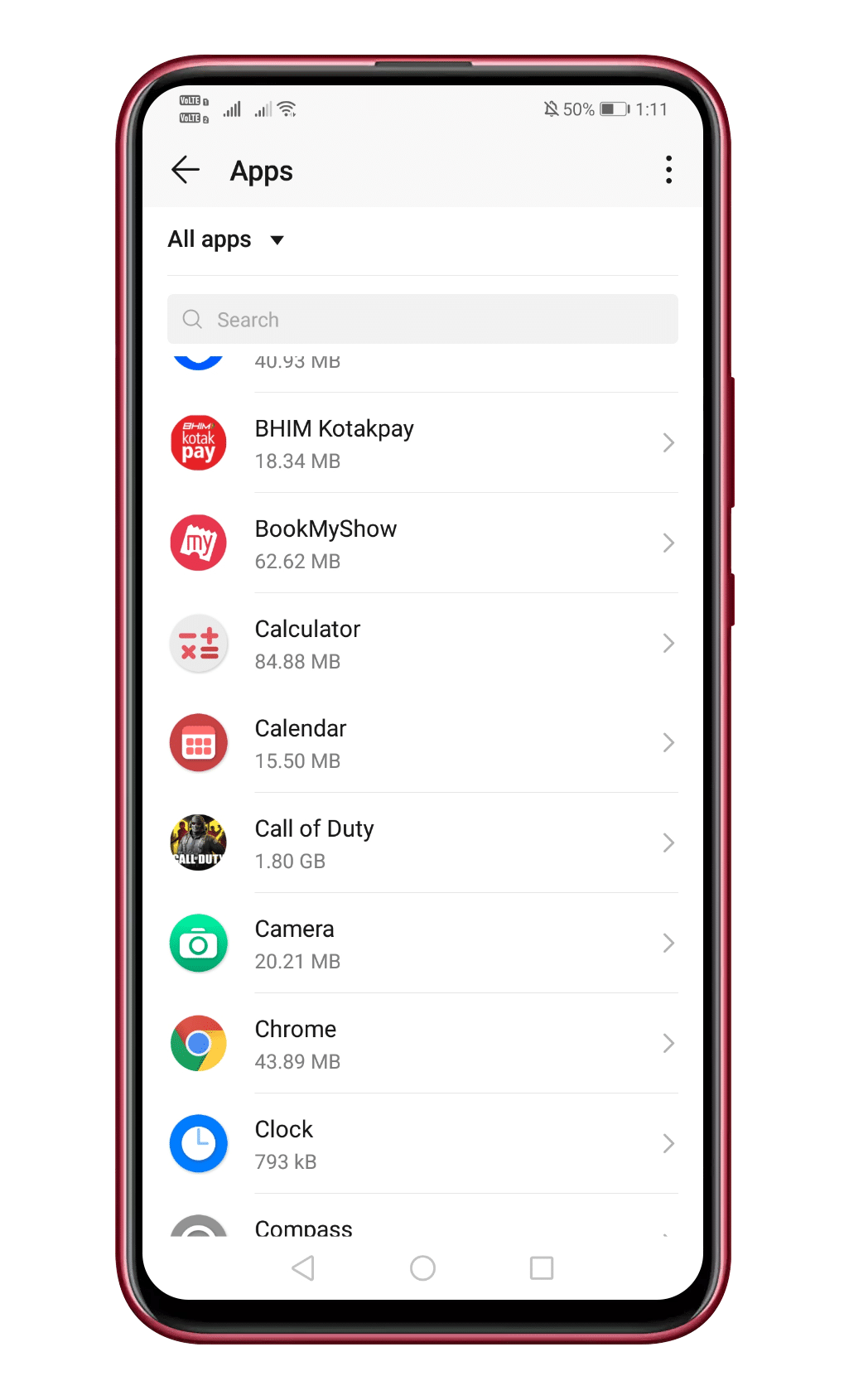
Step 1. First of all, head to the Settings > Apps.
Head to the Settings > Apps
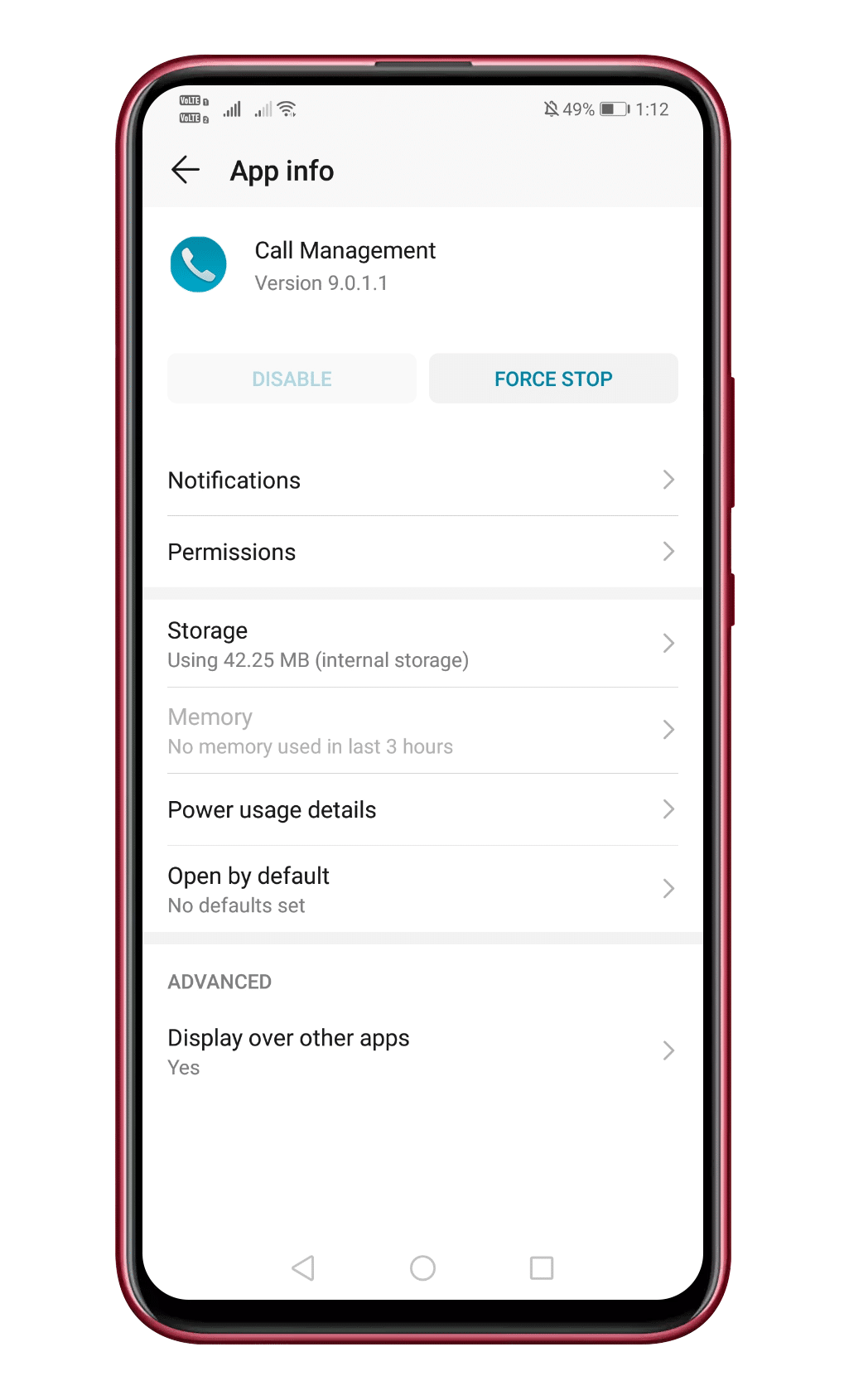
Step 2. From the list of installed apps, tap on the ‘Phone’ or “Phone Management” or anything similar.
Step 3. In the next step, select the option Storage
Tap on the ‘Storage’
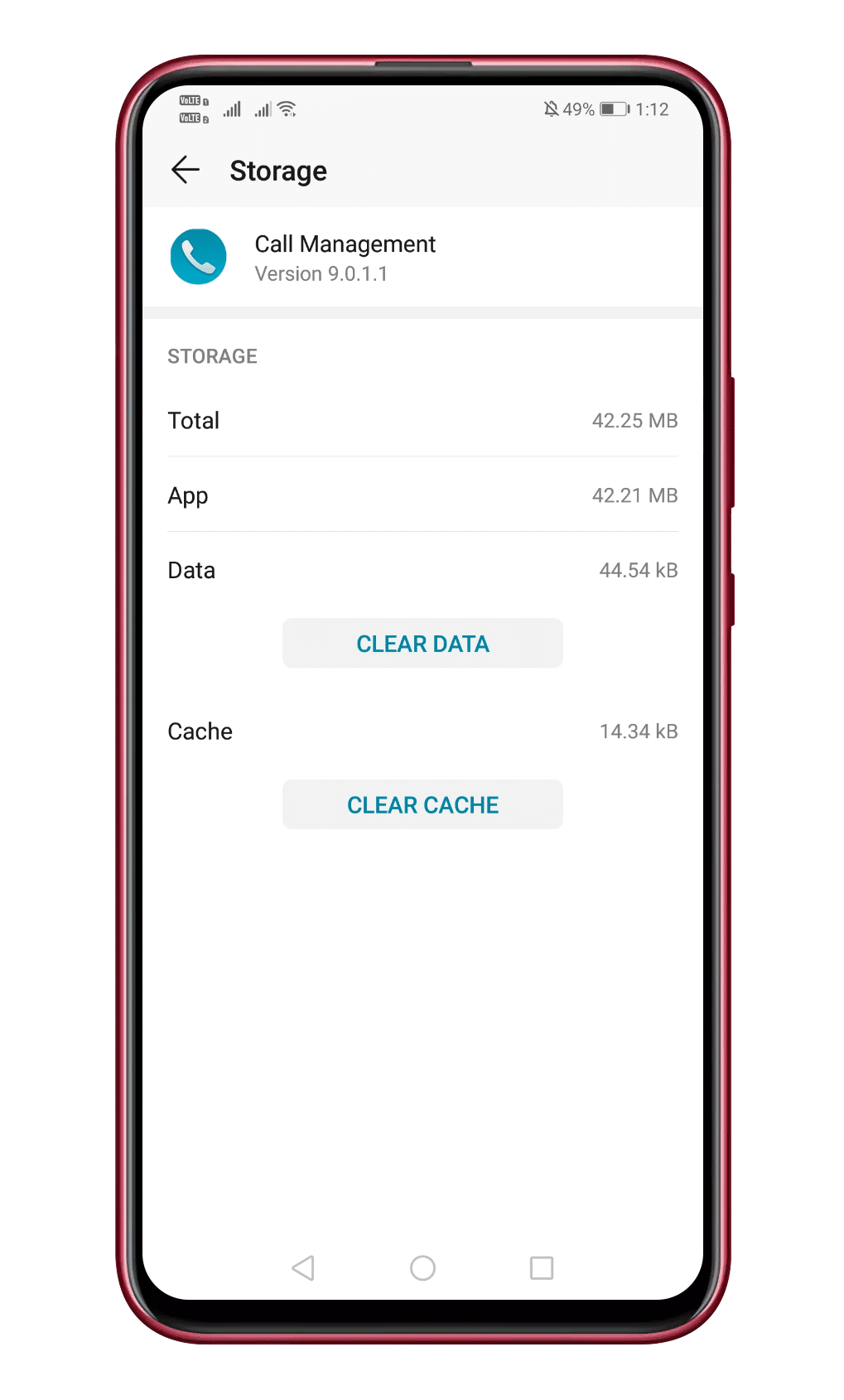
Step 4. Now tap on the ‘Clear cache’ button.
Tap on the ‘Clear Cache’ Button
That’s it; you are done! Now just restart your Android device to fix the Missed call problem.
3. Enable The Notifications For Phone App
If you have been playing with the Notification settings on your Android smartphone, then the chances are that you have disabled the notifications for the Phone app. So, to enable the Notifications for the phone app, follow some of the simple steps given below.
Step 1. First of all, head to the Settings > Apps
Step 2. Under the Apps, tap on the ‘Phone’
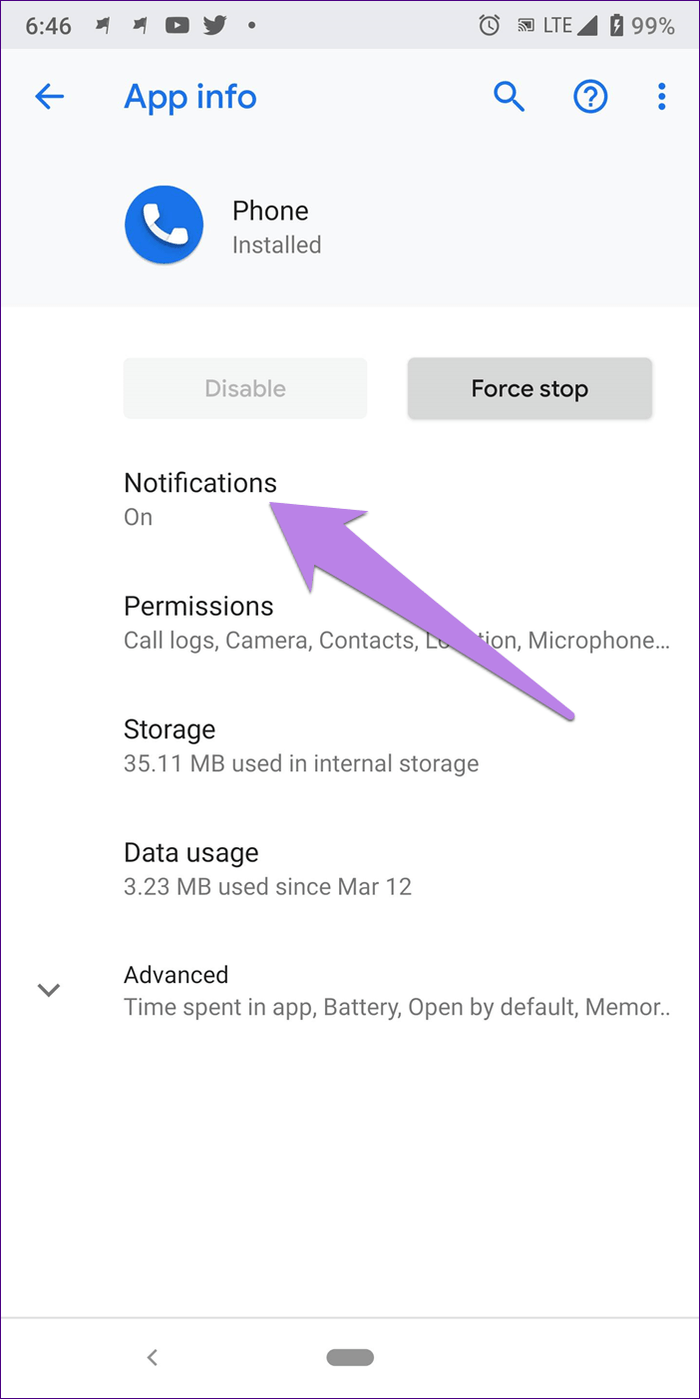
Step 3. On the next page, tap on the ‘Notification’ button.
Tap on the ‘Notification’ Button
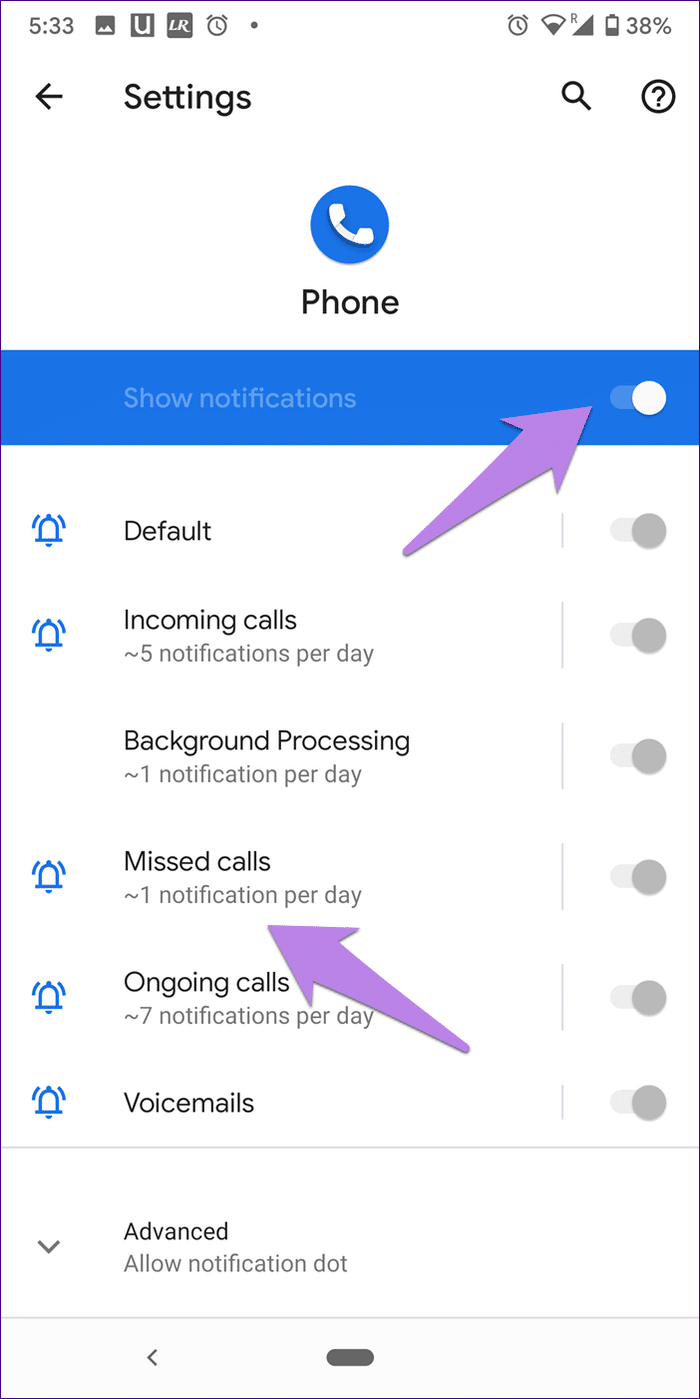
Step 4. Now enable the Show Notification option.
Enable the ‘Show Notification’ Button
That’s it, you are done! This is how you can fix Missed call notifications not showing the problem on your Android smartphone.
4. Change The Default Phone App
If you are not getting the Missed Call Notification alerts after installing a third-party dialer app, then you need to remove it. If you don’t want to uninstall the third-party dialer app, then make it your default phone app. Sometimes apps like Truecaller are the main reason behind such a problem. When Truecaller is set as a default phone app, the notifications will never appear on the native phone app. So, make sure to make the phone app as default to fix the problem.
5. Reset App Preferences
This is the last method to fix Missed call notification not showing on Android. In this method, you need to reset the app preferences to fix notifications problems. However, resetting the app preferences would clear the default actions. To reset the app preferences, follow some of the simple steps given below.
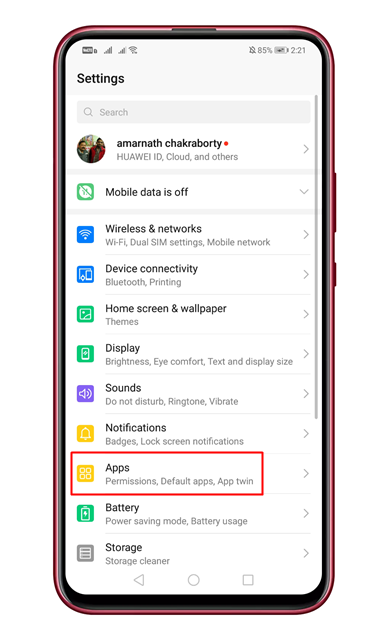
Step 1. Open Settings on Android and tap on the ‘Apps’
Tap on the ‘Apps’
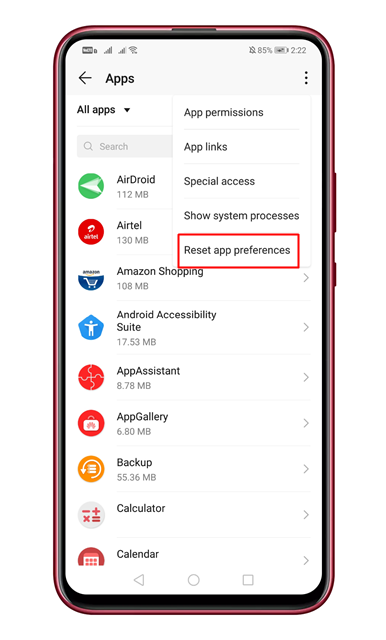
Step 2. On the app page, click on the three dots and select ‘Reset app preferences’
Select ‘Reset app preferences’
Step 3. Once done, restart your device.
That’s it! You are done. This is how you can reset the app preferences on Android smartphones.
How to fix other notification related problems?
The methods listed in the article can be used to fix almost all notification related problems.
How to fix Call log not updating & missed calls not showing?
To resolve the issue, you need to clear the cache of the ‘Dialer’ app on your Android smartphone.
So, these are the four best methods to fix Missed call notifications not showing in Android. If you know any other such methods to fix the problem, let us know in the comment box below.
Nowadays, smartphones have become the primary source of media consumption. If we talk about Android smartphones, the majority of the device has a built-in music player. The stock music player works well for music listening, but it lacks lots of useful music-related features like an equalizer.
Android has supported equalizers for a while, but it’s of no use because it offers fewer controls. To get the best ever music listening experience, one needs to install an equalizer app.
20 Best Equalizer Apps For Android in 2020 (Boost Audio)
With equalizer apps, you can adjust various frequencies in order to get the perfect sound. Equalizer apps will overall enhance the music output quality of your device. So, in this article, we are going to share some of the best Android equalizer apps 2020.
Well, if you are searching for an Android equalizer app with 10 band support, then you need to give this app a try. 10 Band Equalizer is the best Android equalizer app available on the Play Store. Apart from the band equalizer, 10 Band Equalizer also has a built-in music player for music playback.
It’s one of the best and top-rated Android equalizer app available on the Play Store. The good thing about Equalizer & Bass Booster is that it provides both equalizer and a bass booster. If we talk about the equalizer, the app provides you a five-band equalizer to control the sound output.
If you are looking for an Android equalizer app that comes with lots of features and has a clean interface, then Equalizer FX might be the best pick for you. Just like Equalizer & Bass Booster, Equalizer FX also offers users a five-band equalizer, bass boost, virtualization features. Apart from that, Equalizer FX is also known for its advanced loudness Enhancer feature which works with the latest version of the Android operating system.
If you are searching for an Android app with an equalizer feature that comes with a great interface, then Music Equalizer might be the best pick for you. If we talk about the equalizer feature, the app provides you a 5 band equalizer with a bass booster. Not only that, but the equalizer also provides you more than ten pre-built presets.
It is one of the best and top-rated Android Equalizer app available on the Google Play Store. The great thing about Music Volume EQ is that it works pretty well with all Android versions and the developer claims that it should work well with most of the popular media player apps for Android. Apart from that, the Music Volume EQ provides users with five band Equalizer and nine preset.
This app is a little bit different compared to every other listed in the article. Instead of providing you a full-fledged Equalizer, Neutralizer automatically adjusts itself based on your music taste. During the setup, Neutralizer asks users to adjust the sound and other frequencies, and based on that data it automatically adjusts itself. Apart from that, it was the interface that makes Neutralizer stands out from the crowd.
7. BlackPlayer Music Player
BlackPlayer Music Player
It is a full-fledged music player & equalizer app available on the Google Play Store that you can use right now. The best thing about BlackPlayer Music Player is that it has support for a wide range of audio file formats and it offers a 5 band equalizer with lots of presets. Not just Equalizer, but BlackPlayer Music Player also provides 3D Surround Virtualizer and amplifier for the better audio listening experience.
Well, if you are searching for an Android Equalizer app with a dark interface. The best thing about Tono Equalizer is its dark interface which doesn’t feel heavy on the user’s eyes. Apart from that, Tono Equalizer offers almost everything that you need to improve your music listening experience like 5 Band Equalizer, Bass Booster, Virtualizer, etc.
With Equalizer Sound Booster, you can control the music and can adjust the bass level. Not just that, but the app also offers a powerful bass amplifier and stereo sound options which can provide you with a better music listening experience. So, Equalizer Sound Booster is another best Android equalizer app which you can consider.
This app provides users 5 band equalizer and it only works when it detects a headphone. Once you are set, Headphones Equalizer automatically adjusts itself according to the playing music. Not just that, but Headphones Equalizer is also known for its headphone calibration, correction tools.
If you are searching for a full-fledged music player app to fulfill all your music needs, then you need to give Equalizer music player booster a try. It’s an all-in-one Music Player app available out there with a Equalizer support. It offers a 7-band equalizer and a powerful bass volume booster.
Well, Equalizer + Pro is a premium version of the Equalizer+ Android app. The developer had made some serious changes with the Premium version like Bass Boost, visualizer, DJ Mode, etc. If we talk about the equalizer features, Equalizer + Pro offers users 7 band equalizer to enhance the quality of songs.
It is a relatively new Android equalizer app available on the Google Play Store that’s of great use. With Boosted, you can boost or cut frequency bands’ energy by using one of the presents or adjust the equalizer band yourself. The Android app can greatly improve your audio listening experience.
14. Music Player HD+ Equalizer
Music Player HD+ Equalizer
Well, if you are searching for a full-fledged music player app for your Android that has an equalizer as well, then you need to try Music Player HD+ Equalizer. It’s a full-fledged music player app available on the Play Store that provides users with individual controls for Bass Boost and Virtualizer. Not only that, but Music Player HD+ Equalizer also offers a 5 Bands equalizer as well.
It is a premium equalizer app available on the Google Play Store. Since its a premium app, it packs every feature that you need to fine-tune your music. The app offers users a powerful 10-band audio graphic equalizer that works with few online musics streaming apps like Spotify. Not just Spotify, but Eqfy Equalizer can connect with all music player that supports equalizer. Apart from that, Eqfy Equalizer can also be used to boost sound and optimize the audio effect.
It is a full-fledged Android music player app with equalizer. The Android music player app offers users 10 bands music equalizer. Apart from that, Fx Music Player + Equalizer also offers few audio effects like Bass Booster, 3d Reverb, Virtualizer Tuner, Surround Effect, etc.
Well, Flat Equalizer is a relatively new Android equalizer app available on the Google Play Store. The great thing about Flat Equalizer is its minimal Flat UI that follows Google’s Material Design. Apart from that, the equalizer app also offers users two different themes – Light and Dark. So, Flat Equalizer is another best Android equalizer app that you can use today.
Well, Equalizer Pie is another best equalizer app on the list that lets users adjust the frequency envelope of the sound with 14 bands to enjoy the music. Apart from that, Equalizer Pie also comes with 14 audio presents like Jazz, Rock, Classical, Pop, etc. The app is compatible with most of the popular audio and video players out there.
Just like all other latest Equalizer apps, Mega Equalizer also follows the material design of Google. Apart from that, the app allows users to control the Equalizer, Bass Boost, and Virtualizer independently.
It is a music player app with a built-in 10 band equalizer. The music player app for Android supports a wide range of music file formats like mp3, midi, wav, flac, raw, aac, etc. Apart from that, it also offers users 12 different types of music presets like Bass, Pure Voice, Classical, Dance, etc.
Which is the best Android equalizer app?
All of the apps listed in the article were available on the Play Store. These apps were used by thousands of users to control the sound output.
Do I need to root my Android smartphone?
No, you don’t need to root your Android device to run these apps. These apps work on both rooted and non-rooted devices.
So, these are the 20 best Android Equalizer apps 2020 which you can use right now. If you know any other apps like these, then let us know in the comment box below. I hope this article helped you! Share it with your friends also.
Mostwaited smartphone in 2019 POCO F2 is all set to launch in Portugal. From sources, we got the news that there will be two variants POCO F2 and POCO F2 pro. So before the launch, the prices got leaked, From leaks we have found that upcoming Pocophone will be slightly expensive compare to old Pocophones.
Poco will have a regular Poco F2 and F2 Pro this year
POCO F2 Price Leaked Before Launch, Check All Details Here
If you are wondering when POCO is arriving then here is the confined news by Portuguese website 4gnews, In Portugal, POCO is all set to launch Poco F2 pro the prices will start from Euro 649 (approximately Rs 54,000) and the higher variant will be priced for almost Euro 749 (approximately Rs 62,200).
No one knows that in India the prices will be same or lesser than this. But if the company keeps the same prices then it is expensive to compare all other smartphones. Anyone would prefer OnePlus over POCO in this pricing.
POCO F2 and POCO F2 pro will offer 6 GB Ram and 128 GB storage and higher variant will offer 8 GB Ram and 256 GB storage. About the processor, there is no confirmed news came out yet.
From the rumours and leaks, we have got a few specs which you can check below,
If we talk about the best mobile operating system, without any doubt, it will be Android dominating the list. Compared to every other mobile OS, Android provides users far more features and customization options. Not only that, but the app availability is also quite high on Android.
Just search for ‘Photo editors’ on the Google Play Store, you will find hundreds of apps over there. On Techviral, we have already shared lots of articles on Android photo editing like best photo editors, best collage maker, etc. Today, we will be sharing a list of best Android apps to add mirror effects to your Photos.
10 Best Apps To Mirror Photos On Android in 2020
With the mirror photo apps, you can easily mirror pictures of you and make amazing collages with your images. So, let’s check out the few best apps to mirror images on Android in 2020.
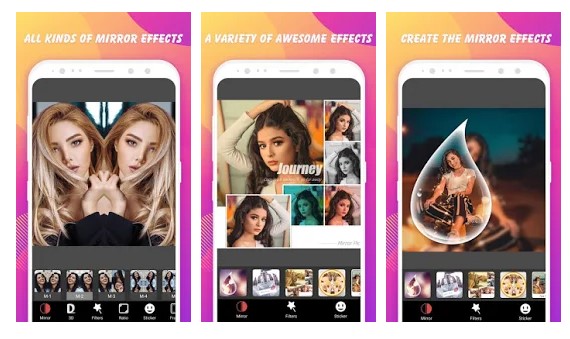
If you are searching for an excellent and easy to use Android app to mirror images, then Mirror Photo Editor might be the best pick for you. It’s a free app that lets you add the mirror effect to the pictures. Apart from that, it also lets you create amazing collages with your mirror images.
If you are looking for a feature-rich Android photo editing app to add the mirror effect, then you need to consider MirrorPic Photo Mirror collage. MirrorPic Photo Mirror collage lets you create a mirror photo in an easy way. After creating a mirror image, you can add text, filters, and stickers.
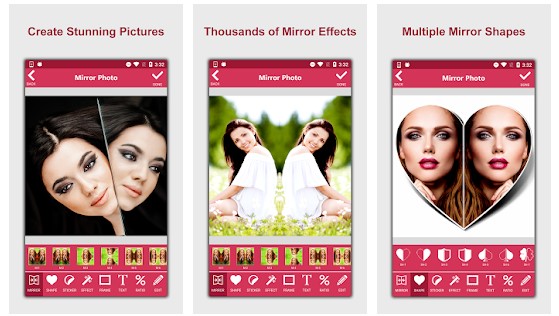
Although it’s a less popular app, it doesn’t miss out on any important photo editing feature. The app lets you add optical effects to the photos like mirror effects, shape effects, etc. Apart from that, it also lets you create a collage of your photos. So, Mirror Photo is another best Android app to create a mirror image.
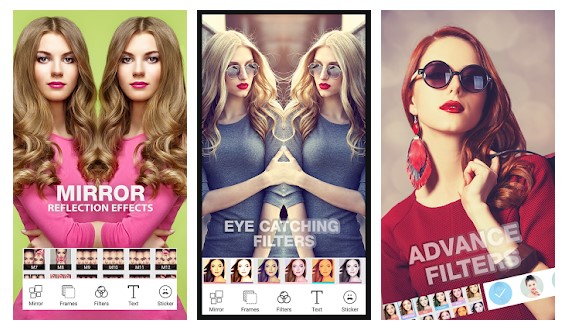
This app is for those who have been searching for an Android app to create multiple left-right, up-down, and reflect the style of photos. It’s basically a mirror photo app that lets you add a reflection effect to the pictures. Apart from that, it also enables you to create a photo collage in seconds with the photo grid feature.
Well, if you are searching for a lightweight and easy to use Android app to flip an image vertically and horizontally, then Flip Image – Mirror Image might be the best pick for you. It can flip multiple photos, but you need to purchase the pro version of the app. Also, the app doesn’t work on images with large sizes.
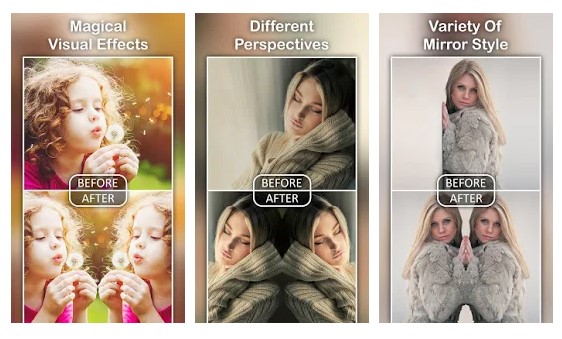
This app is the perfect combination of photo effects and photo editor. It’s a multi-purpose app that can be used to edit photos and apply effects. If we talk about the mirror effects, the app lets you create a perfect mirror effects picture in just a few seconds. Apart from the mirror effects, the app also offers a variety of mirror styles with perspective.
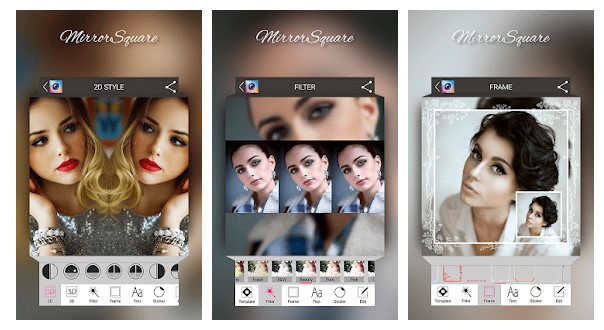
If you are an Instagram influencer, then you would love this app for sure. The app lets you create the best square, snap, and photo mirror images. The unique feature of Square Mirror photo is the ‘Instamag mirror.’ The Instamag mirror provides you 2d and 3d mirror effect styles that you can apply to your photos.
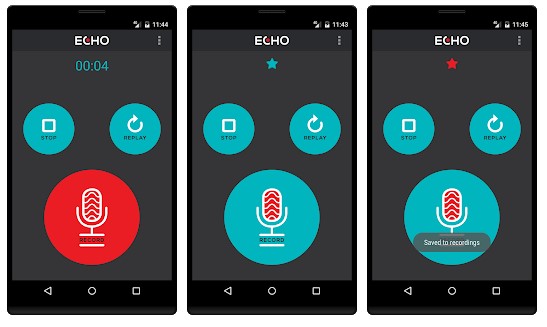
This app is a little bit different compared to all others listed in the article. With Echo, you can add slow-motion type effects on your photo. The app does so by creating a 3D mirror effect. What’s more important is that the app lets you apply the 3D mirror effects to any of the images from the photo gallery.
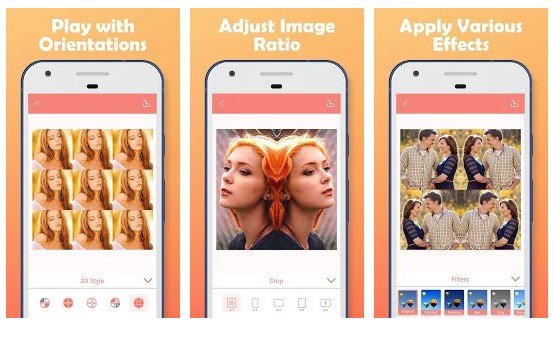
If you are searching for a multi-purpose photo editing app for your Android smartphone with mirror effect feature, then Photo Mirror: Editor, Collage might be the best pick for you. The app lets you create left-right, up-down, reflection, and repeating style photos. Apart from that, it also gives you to apply photo effects and photo frames.
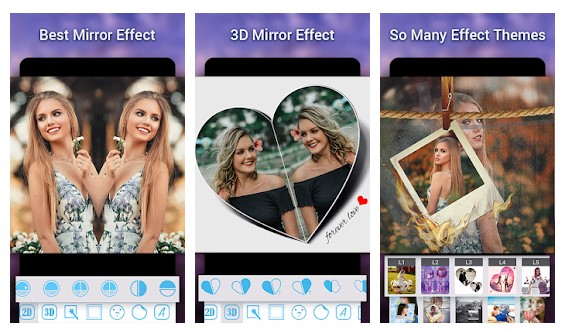
This is one of the best and top-rated photo mirror app available on the Google Play Store. With this app, you can easily add a mirror reflection effect and pip effect to the photos. Additionally, there’s an option to create a collage, apply photo effects, etc.
So, these are the ten best mirror photo apps for Android available on the Play Store. I hope this article helped you! Share it with your friends also.