When it comes to purchasing the new PC, you are loaded with tons of option from different manufacturers with different specifications; it will be tough to choose the CPU which is best and suitable for all your needs. Even when you are going to purchase from an offline store, the salesman will create confusion by giving unnecessary information about the particular CPU.
But what if you get the convenience to compare and purchase two or more PC at once? By comparing two or more CPU, you will quickly know about the different technical aspects, and then you can choose easily one among them.
Some shopping websites also provide you with the features to compare two or more PC, but not all the shopping website offers such great features. Here in this article, we are going to review the website Game-debate.com which allows you compare from hundreds of CPU models all across the globe.
How to Compare Any PC Hardware Online?
Step 1: First, you have to visit CPU to the CPU compassion page of Game-debate.com for that click here.
Compare Any PC Hardware Online
Step 2: Now select the two different CPU models which you want to compare side by side, once you choose two model, the website will show you the in-depth compression of all technical aspect between them.
That’s how you can compare two different CPU models side by side to know which one is best for you.
We hope this article on how you can compare any PC hardware online for free is helpful for you. If the article is useful for you in any manner, then do share it on social media. Please stay connected with us for all the latest technology updates.
Well, it’s of no doubt that fonts play a big role in almost all industry. It doesn’t matter if you are into the designs, or product marketing, or having your own blog, fonts speak it all. But, finding the right fonts for business, or short projects is a difficult job. Thanks to the hundreds of free fonts website available on the web which makes the process much tough.
As we have said, there are tons of websites available on the web that offers free fonts, but again, that involves a lot of searchings. So, to make things a bit easy, we are going to share some of the best sites from where you can download fonts for free.
20 Best Free Fonts Download Websites in 2020
These sites have plenty of free fonts to offers. However, make sure to read the terms and conditions before using the fonts commercially. So, let’s explore the list of best free fonts download websites 2020.
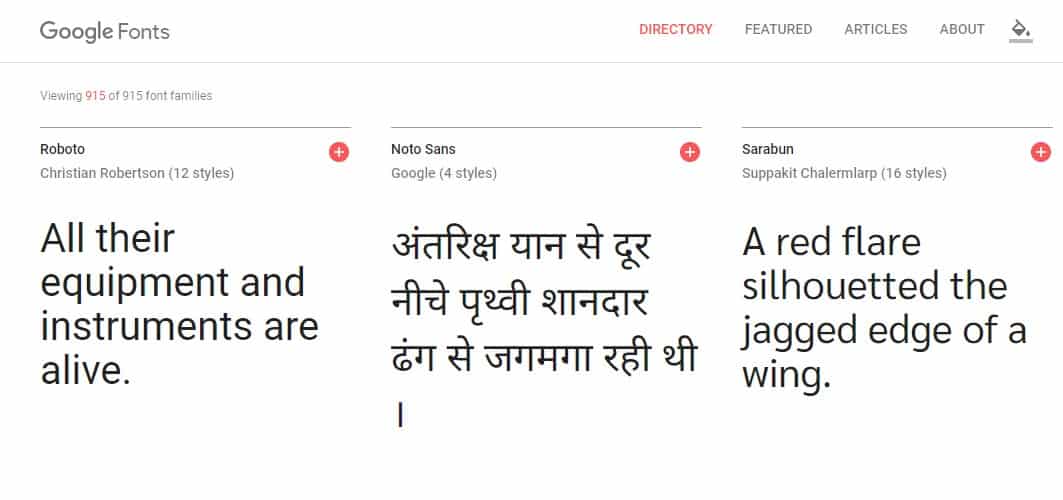
Google Fonts is one of the best and popular sites which you can visit to get a variety of fonts for free. The best thing about Google font is that it offers fonts for over 125 languages for photoshop. Another great thing about Google Fonts is that all fonts that you see on the web page are the open source by nature. That means you can modify them as per your wish.
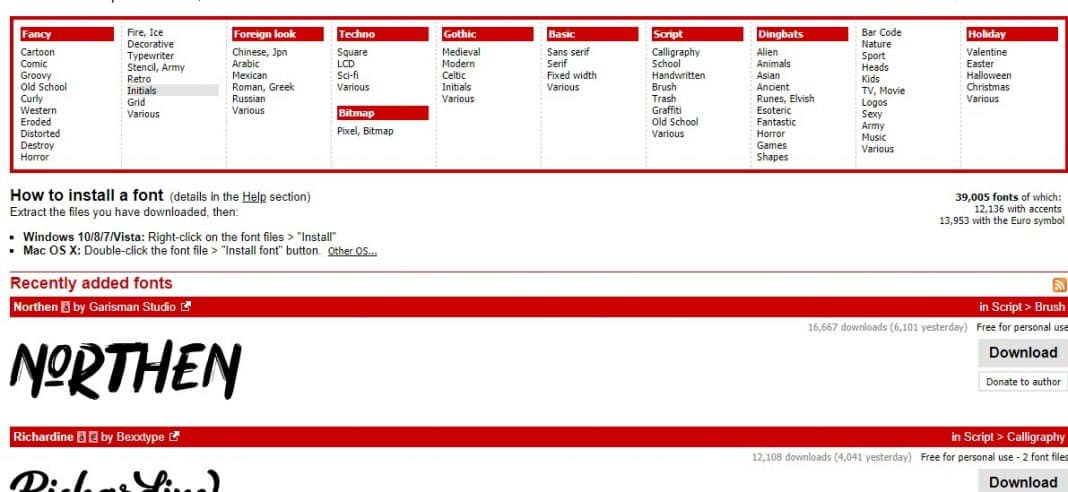
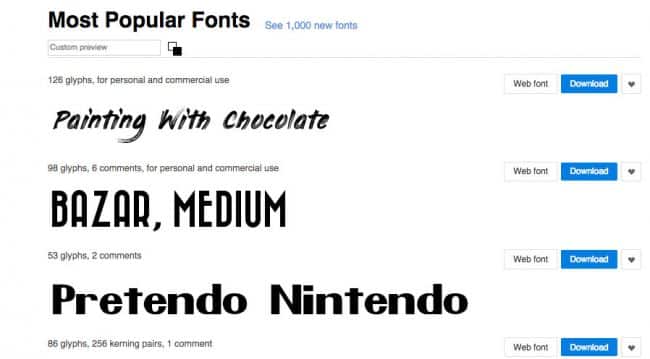
DaFont is another best website on the list that’s known for its huge list of free fonts. The interface of DaFont is also pretty amazing and it organizes the fonts as per their nature. You can get lots of fonts for fancy, gothic, Halloween, horror, etc. Not just that, but DaFont also allows users to apply filters for searching the fonts. So, DaFont is another best free fonts download website which you can consider.
FontSpace is another best free font site on the list that’s known for its massive database. Guess what? FontSpace has over 35,000 fonts which you can use and share with others. Not just that, but the fonts that you find on FontSpace are designed and submitted by designers. The interface of FontSpace is another positive thing about the site and its one of the best font websites which you can visit right now.
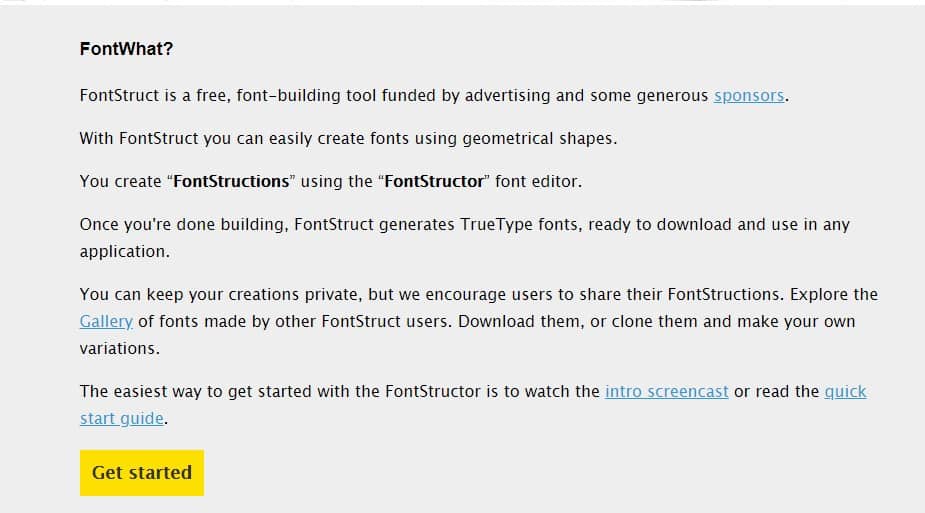
FontStruct is another best font download website on the list which is known for its high-quality fonts. The great thing about FontStruct is that it offers over 43,000 unique fonts and it also allows users to create their own fonts. For creating fonts, FontStruct offers a full-fledged font-building tool.
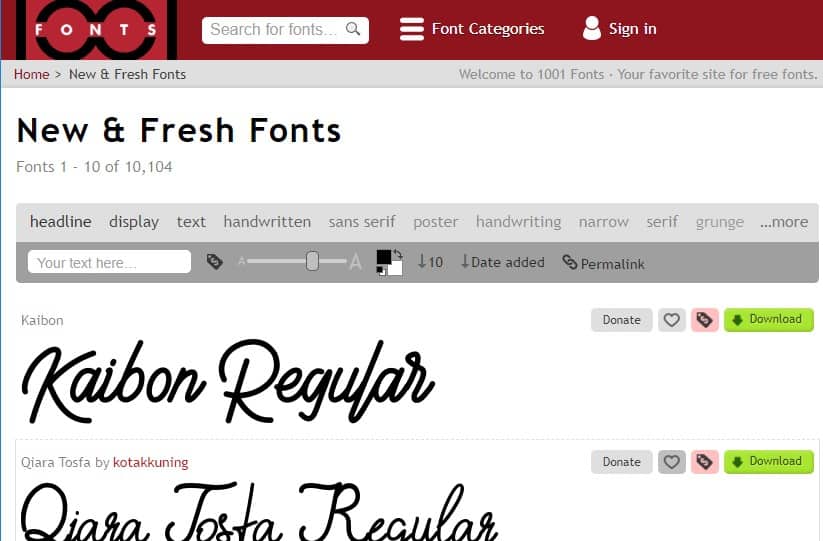
1001 Fonts is another best free fonts download website on the list which has over 3000 free fonts to offers. Well, the site houses both premium and free fonts. But, it has a separate panel for free commercial-use fonts. The fonts available on 1001 Fonts is usually high-quality and they are pretty simple to install. Apart from that, it was the site’s navigation which makes the site stands out from the crowd.
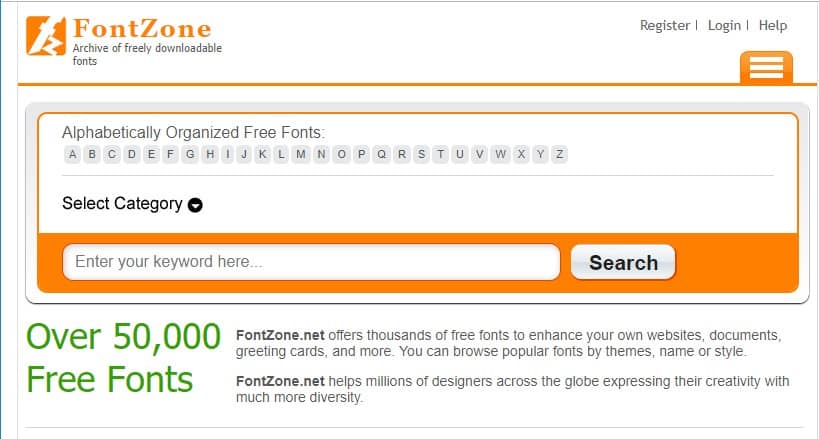
FontZone is another great font website on the list which you can visit for designing or photoshop purposes. The great thing about FontZone is that it has a unique collection of free fonts to offers. You can find 3D, Curly, Rounded, Shadow, etc fonts on FontZone. Another great thing about FontZone is that it allows users to browse fonts by popularity. So, FontZone is another best free fonts websites which you can visit right now.
Well, Font Squirrel is one of the top and best font websites available out there. The site has both free and commercial font. So, you need to check for licenses before installing any font. However, Font Squirrel has lots of quality free fonts to offer. Apart from that, Font Squirrel is also known for its unique sets of features like Webfont generator, Font recognizer, etc.
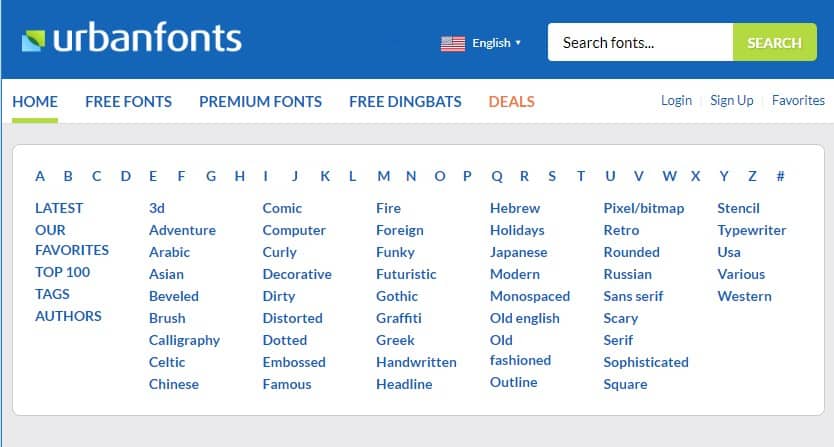
If you are looking for a free font download website that has a clean UI and offers lots of unique fonts, then Urban Fonts might be the best pick for you. The site has lots of unique free fonts to offer. Apart from that, the site list all fonts as per their nature. However, users need to create an account in order to download the fonts.
FontSpring is another best font download website on the list which mostly has premium fonts. However, if you dig deep into the platform, you can also discover tons of free fonts. However, as we said, FontSpring is mostly known as a premium font marketplace, so make sure to check the license properly before downloading any font.
Fawnt is another best site on the list which you can visit to get fonts for free. The great thing about Fawnt is that it has over 10,000 free fonts to offer. The design of Fawnt is also pretty clean and it lists out the most downloaded fonts on the homepage. Apart from that, you can also browse through Fawnt’s large index through filters.
Creative Market is one of the best and community-based platforms from where you can download free fonts. Although the fonts are mostly premium, it offers users free fonts every week. The free fonts remain on the website for a limited time.
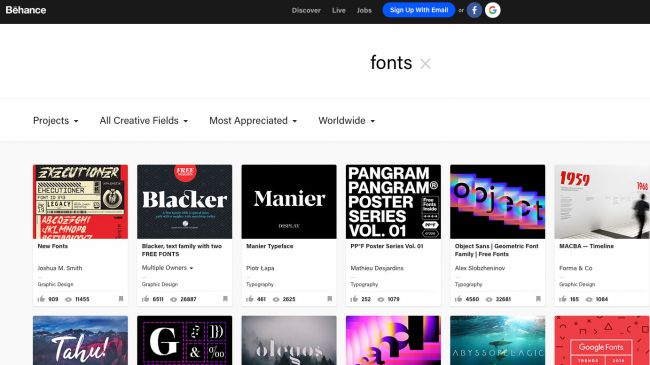
Well, it’s no doubt that Behance is a go-to place for every designer. The great thing about Behance is that it offers lots of free fonts. The free fonts are usually of high quality and you can download it for free. Not just that, but you can also add some filters to get to the free fonts. So, Behance is another best site from where you can download free fonts.
Well, Fontasy is another best font download website on the list from where you can download over 1,200 fonts for free. The great thing about Fontasy is its user interface which looks clean and well organized. Not just that, but Fontasy also allows users to use filters to get to the fonts.
Abstract fonts is another best site on the list which provides both free and premium fonts. The site looks clean and it’s pretty easy to navigate. The best thing about Abstract fonts is that it offers users custom font preview options. Right now the site has around 15,000 fonts which you can download right now.
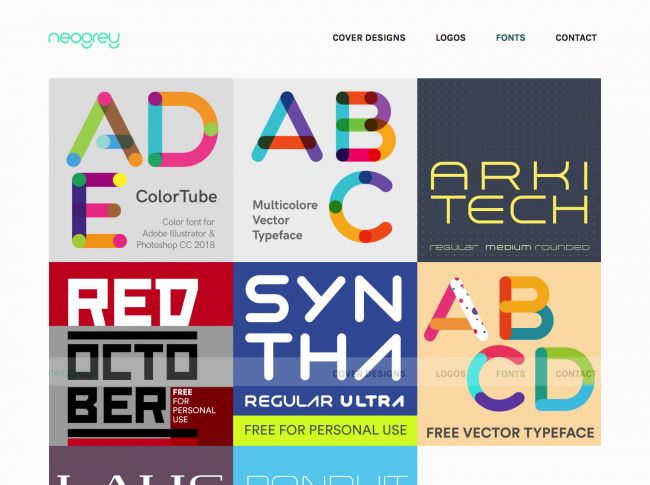
Neogrey is basically a portfolio of popular graphics and web designer Ivan Filipov. So, the fonts that you find on the website is his own work. Most of the fonts are made available for free download. Not just that, but you can also find lots of multi-colored vector fonts.
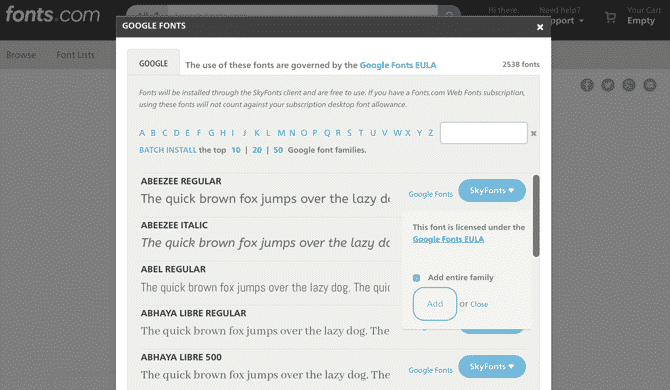
Well, Fonts.com is another best website from where you can download a variety of fonts. For those who don’t know, Fonts.com is known for its integration with Google Fonts and SkyFonts. SkyFonts is a desktop client for downloading and managing fonts. Although can download fonts from Fonts.com, but still if you are searching for an easy method to download fonts, then give SkyFonts a try.
Well, Acid Fonts is another best free font website on the list from where you can download free fonts. The great thing about Acid Fonts is that it has lots of categories of free fonts. The site allows users to search fonts by keyword. Not just that, but the site also shows a font preview before downloading. So, Acid Fonts is another best free font download website that you can visit right now.
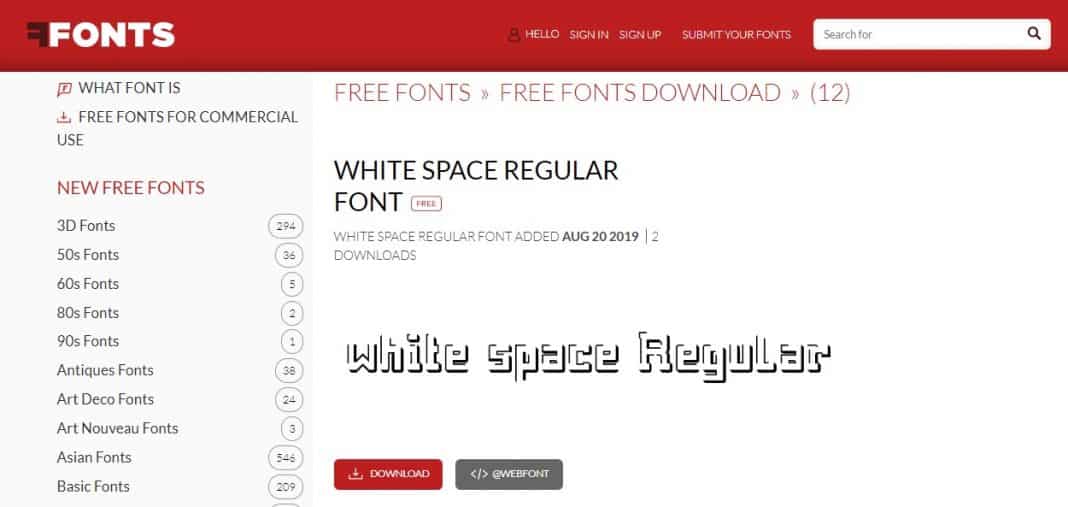
Well, if you are searching for a free font download website from where you can download unique fonts for free, then you need to visit FFonts right now. The user interface of FFonts is definitely not the best ones, but it has a large amount of varying free fonts.
Myfonts is another best website on the list from where you can discover new and awesome fonts for print, products, and screens. On this site, you can discover popular fonts like Futura, Garamond, Baskerville, etc. Apart from that, the site updates new fonts at regular intervals. So, Myfonts is definitely the best website to download free fonts.
Well, if you are searching for the best site to try, buy and download fonts for desktop, then FontShop might be the best pick for you. The site has a separate section for free fonts from where you can download all fonts for free. Apart from that, the site also has a sale section from where you can premium fonts at affordable prices.
So, these are the 20 best free font download websites which you can visit right now. If you know any other sites like these, then let us know in the comment box below.
If you think that your WiFi connection is slow because someone else is using it without your permission, then here we are going to list down a few Android WiFi apps to detect intruders. So, let’s check out some of the best android wifi checker apps.
Well, its of no doubt that the internet has now become a part of our lives. It all because of the increased usage of smartphones and other internet-connected devices. In this world, having a WiFi connection has now become a mandatory thing.
Who is Connected To My WiFi? Best Apps To Check Connected Devices
So, here in this article, we are going to share the ten best apps that would help you to detect WiFi Thieves and Block them. So, let’s explore the list of 10 best Android apps to see Who’s connected to my wifi?
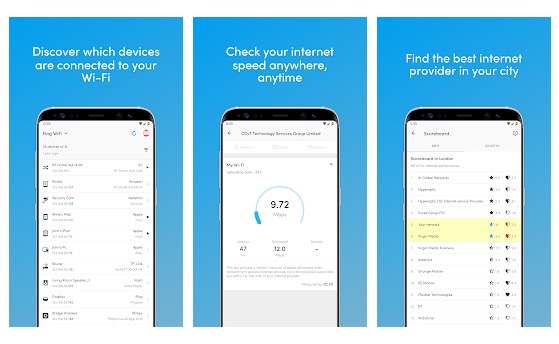
Fing- Network Tools is one of the best WiFi analyzer app available on the Google Play Store. The best thing about Fing- Network Tools is that it allows users to scan the entire WiFi network to search for the connected devices.
With Fing- Network Tools, you can get the most accurate device recognition of IP Address, MAC Address, device name, model, vendor, and manufacturer. So, Fing- Network Tools is one of the best Android apps which you can use to find out Who’s connected to my WiFi.
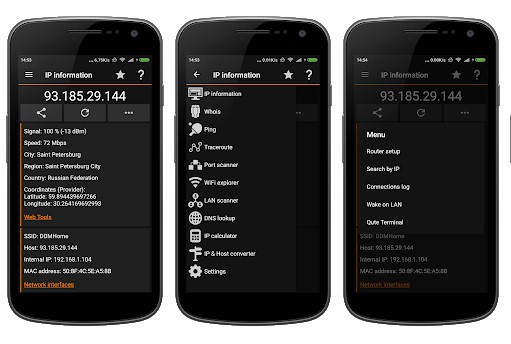
If you are searching for an Android app that can help you to get a full and clear picture of your network state, then IP Tools might be the best pick for you. Guess what? IP Tools has a powerful WiFi analyzer that can scan and find devices connected to your WiFi network.
IP Tools also shows full information about the connected device like IP Address, MAC address, Device Name, etc. So, IP Tools is another best WiFi analyzer app that you can use on your Android smartphone.
3. NetCut
NetCut
Well, NetCut is another great WiFi analyzer app on the list which can quickly detect all network users in WiFi. What makes the app more interesting is its ability to cut off the network between two network users within LAN. However, to do so, you need to have a rooted Android smartphone. Apart from that, NetCut also brings a Netcut Defender which can detect network attacks. So, NetCut is another best WiFi tool that you can use on your Android smartphone.
This app is for those who are searching for the fastest, smartest and easiest way to control and monitor the number of users connected to the WiFi network. It effectively scans and lists devices that are connected to WiFi and shows you the information about the connected devices.
Network Scanner is one of the advanced WiFi apps that you can have on your Android smartphone. Apart from just scanning and showing WiFi connected devices, Network Scanner also shows the suspicious vulnerabilities or security issues within the network.
Not only that, but Network Scanner also offers some advanced tools for Wake on Lan, Ping, Traceroute, etc. The app arrives with a great user interface and its definitely the best Android WiFi scanning app that you can use today.
Well, if you are searching for an Android app that can detect devices connected to your WiFi network, then you need to try WiFi Thief Detector. It’s basically a network scanner app that helps users to spot devices connected to WiFi network.
Apart from that, the WiFi Thief Detector also shows some crucial information about the connected devices like IP Address, MAC ID, vendor listing, etc.
Well, Network Connections is another great Android app that can be used to detect all devices connected to your WiFi network. It’s basically a network management app that displays and monitors all inbound and outbound connections.
Apart from that, Network Connections also shows detailed IP information of each connected device. So, Network Connections is another best Android app to detect devices connected to the WiFi.
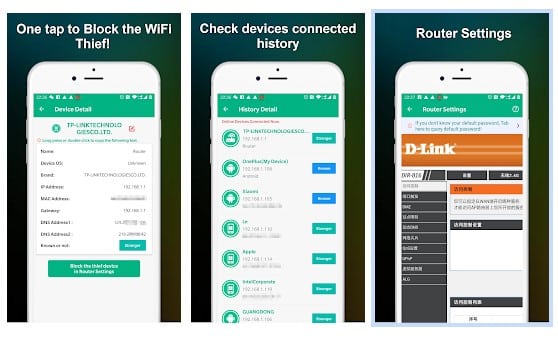
As the name of the app says, Who is on my WiFi is an Android app that can help you detect devices connected to the WiFi network. The best thing about Who is on my WiFi is that it also provides router settings for popular routers like D-Link, TP-Link, etc. So, after detecting the unknown device, you can easily block the device through the app itself.
Mi Wi-Fi is a WiFi android app that’s used to control MI routers. With Mi Wi-Fi, you can easily control your Mi WiFi with your Android smartphone anytime and anywhere. If we talk about the features, with Mi Wi-Fi, you can easily view and manage devices connected to the network. Apart from that, Mi Wi-Fi can also be used to manage QoS allocation.
So, Mi Wi-Fi is another best Android app to find out devices connected to your WiFi network.
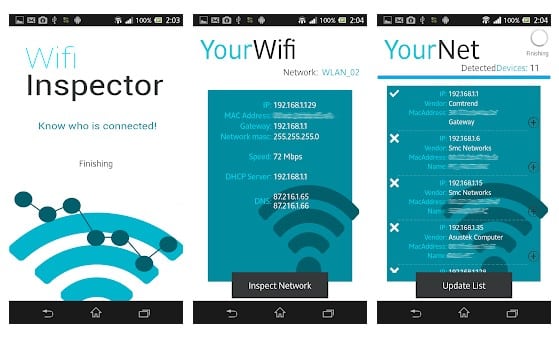
Wifi Inspector is another best and easy to use Android network scanner app that’s could be used to see all devices connected to the network. Wifi Inspector shows detailed information about the connected devices like IP Address, manufacturer, device name, MAC address, etc.
The app is right now used by millions of users and its definitely the best network scanner app that you can use on your Android smartphone.
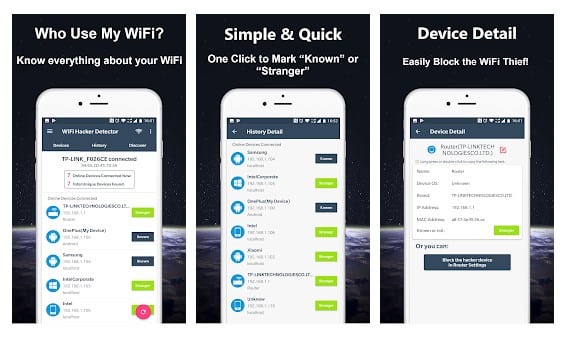
If you believe that someone is connected to your WiFi and using the internet without your permission, then you should give Who Use My WiFi – Network Scanner a try. The Android app scans all WiFi network devices in seconds. Not only that, but Who Use My WiFi – Network Scanner also has a Ping tool, Port scanner, network monitor, etc.
WiFi Scanner & Analyzer is basically a network management tool that can be used to detect network status, check network speed, etc. It also scans the network and shows you the list of devices connected to the WiFi. Apart from that, it has a ‘Network Boost’ feature which finds the app that are using the network in the background.
So, these are the best Android apps to find out Who’s connected to my WiFi? If you now any other such apps, let us know in the comment box below.
Let’s admit; nothing is private in this digital world. It doesn’t matter how hard you try to protect your privacy, trackers are bound to follow you around from site to site. Not many will know, but search engines like Yahoo, Google, Bing, etc. also track our browsing activities to push targeted ads.
Similarly, our browsing details were tracked by other companies in some way. To bypass web trackers, experts often recommend the use of VPNs and Proxies. However, the truth is that a VPN alone can’t help you maintain complete anonymity. To protect privacy, one needs to use a privacy-centric web browser.
5 Best Privacy-Focused Web Browsers for iPhone in 2020
We have already shared a list of most secure web browsers for Android. Today, we will be discussing the best privacy-focused browsers for iPhone 2020. These web browsers for the iPhone provides better privacy features compared to others.
Firefox Focus is one of the best web browsers available out there, which blocks a wide range of online trackers. It has a Private Browsing mode that blocks a wide range of common web trackers without any settings. Not only that, but Firefox Focus also erases the history, passwords, cookies, trackers once you close the app.
This one is pretty much similar to the Firefox Focus browser that had been listed above. What makes DuckDuckGo stand out from the crowd is that it offers a handful of privacy options that you need to take control of your personal information seamlessly. By default, it blocks all hidden third-party trackers and ads. So, DuckDuckGo Privacy Browser is one of the beat privacy-focused browsers for iPhone 2020.
It is one of the popular web browser app available for Windows, Android, and iOS devices. If we talk about the Brave browser for iOS, the web browser automatically blocks ads, trackers, malicious scrips, and fingerprinters. Not only that, but Brave Browser also has a built-in bookmark manager, download manager, etc.
4. Safari
Safari web browser
The built-in web browser of the iOS device also offers robust privacy solutions. To start, the web browser follows few anti-tracking modules to block trackers from tracking your browsing activity. It also has a private browsing mode, which doesn’t save your browsing history, cookies, bookmarks, etc. So, Safari is another best privacy-focused browser that you can use today.
If you are searching for a web browser that offers fast, private, tracker-and ad-free browsing experience on iPhone, then Ghostery Privacy Browser might be the best pick for you. The browser might look outdated, but it allows you to see who’s tracking your data on the website. Not only that, but the web browser also has a built-in ad blocker, private search engine, ghost mode, etc.
These are the five best Privacy-focused browsers that you can use on your iOS device. If you know any other such web browser, let us know in the comment box below. I hope this article helped you! Share it with your friends also.
If you have been using Samsung smartphone for a while, then you might know that Samsung uses its skin on its phones. Samsung’s One UI has always been known for its user-friendly interface.
Samsung’s One UI prioritizes the navigation with a single hand. Usually, the user interface elements on One UI were moved towards the bottom of the display. This thing is done to assist users in having large display smartphones. The same thing goes for Notification panel and Quick Settings in One UI.
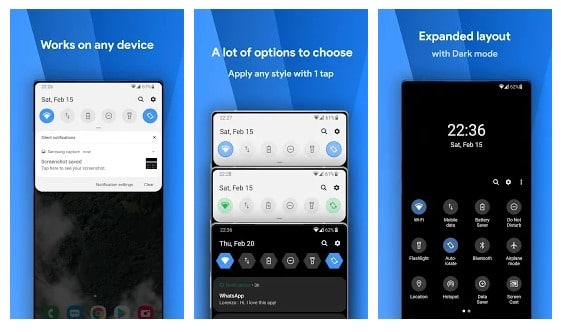
The reason why we are talking about Samsung and One UI is that recently a developer named Treydev launched an app known as One Shade. The app claims to replace Android’s default notification panel with a custom notification shade. The developer doesn’t claim that the app is meant to replicate One UI’s notification shutter, but the design closely follows Samsung’s One UI design.
How To Get Samsung’s One UI Notification Shade On Any Android
So, in this article, we have decided to share a working method to get One UI’s Notification Shade on any Android smartphone 2020.
Step 1. First of all, download & install One Shade on your Android device from this link.
Install One Shade on Android
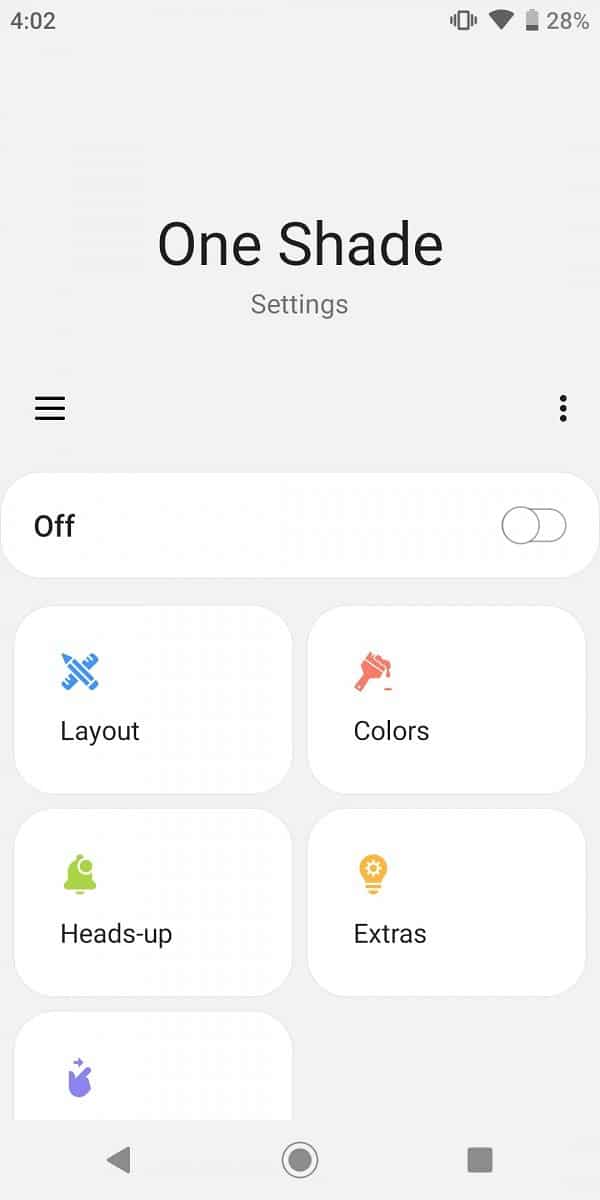
Step 2. Open the app and grant the permissions. Now you will see the main interface of the app.
Interface of One Shade
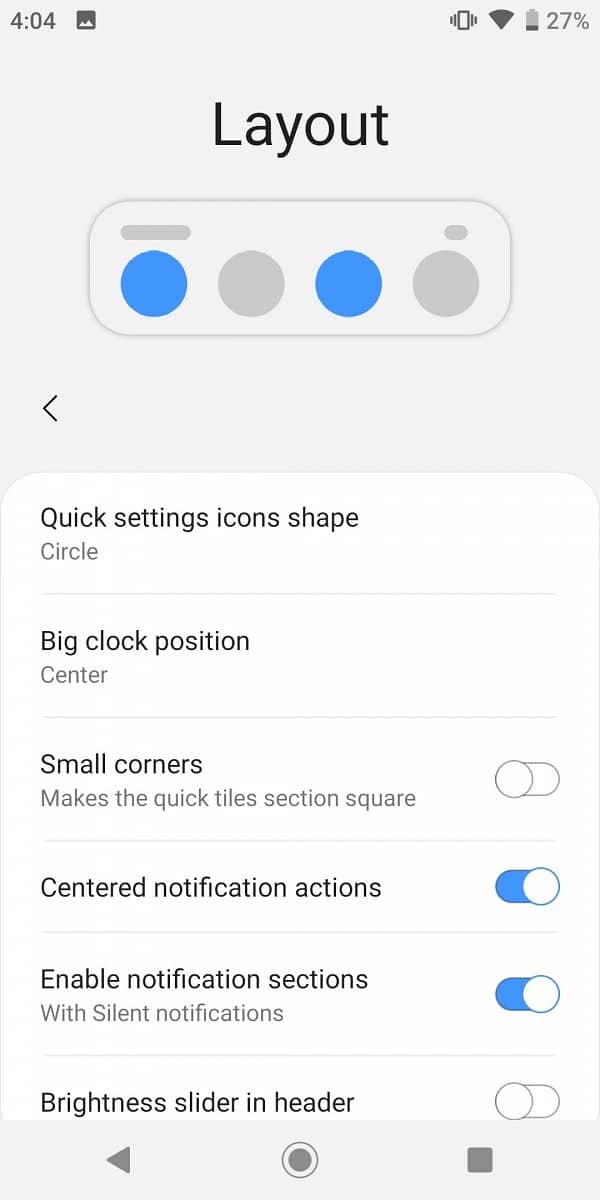
Step 3. Tap on the Layout option to set the icon shape, clock position, corners, etc.
Set the layout options
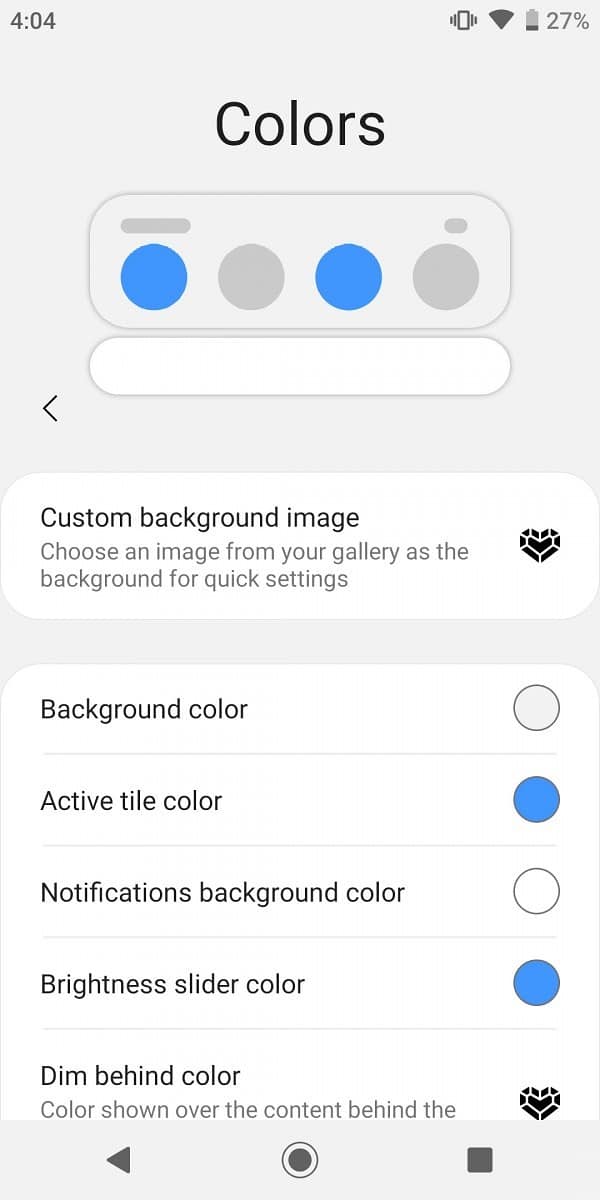
Step 4. Tap on the Colors option to set the background color, image, etc.
Set the Color Options
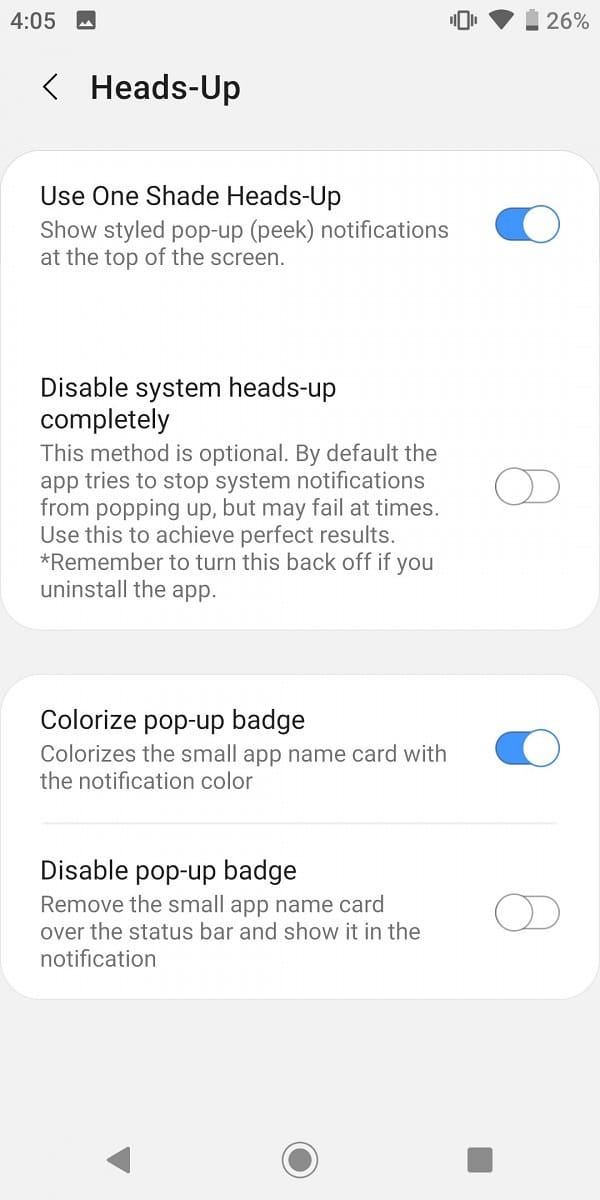
Step 5. Next, tap on the Heads-Up option to use One Shade’s heads-up notification.
Set up the heads up options
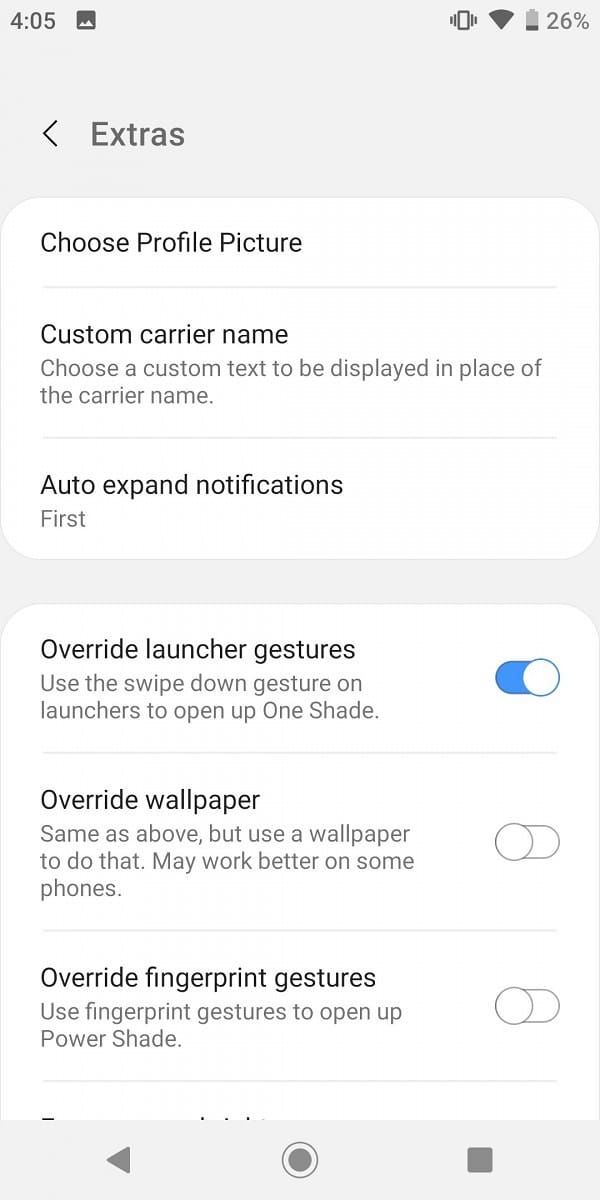
Step 6. You can explore a few more settings under the ‘Extras’ section.
Discover more settings on ‘Extras’
That’s it! You are done. The app provides lots of customization options that would change your notification panel completely.
So, this article is all about how to get Samsung’s One UI Notification shade on any Android device. I hope this article helped you! Share it with your friends also.
The basis of the classic James Bond film “Tomorrow Never Dies” is an evil media mogul who instigates war between the U.K. and China because it will be great for TV ratings. There’s been a wake-up call recently that our most popular social networks have been indirectly designed to divide populations into enemy camps and reward sensational content, but without the personal responsibility of Bond’s nemesis because they’re algorithmically driven.
The rise of “multiverse” virtual words as the next social frontier offers hope to one of the biggest crises facing democratic societies right now.Because the dominant social media platforms (in Western countries at least) monetize through advertising, these platforms reward sensational content that results in the most clicks and shares. Oversimplified, exaggerated claims intended to shock users scrolling past are best practices for individuals, media brands and marketing departments alike, and social platforms intentionally steer users toward more extreme content in order to captivate them for longer.
Our impending cultural shift to socializing equally as often through virtual worlds could help rescue us from this constant conflict of interest between what we recognize as healthy interactions with others and how these social apps incentivize us to behave.
Virtual worlds can have advertisements within them, but the dominant monetization strategies in MMOs are upfront purchase of games and in-game transactions. Any virtual world that gains enough adoption to compete as a social hub for mainstream society will need to be free-to-play and will earn more money through in-world transactions than from ads.